
Connecting to a Wired LAN
Connect a computer to the machine via a router. Use an Ethernet cable to connect the machine to the router.
|
Depending on the network environment, the connection between this machine and the network may become unstable. In that case, set [Use EEE] to [Off]. [Ethernet Driver Settings] |
1
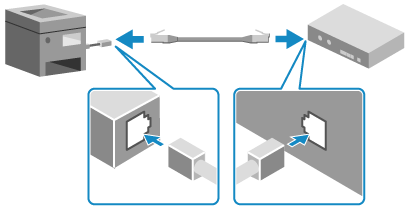
Connect an Ethernet cable to the machine and router.
When the machine is connected to the wired LAN, [ ] appears on the [Home] screen and screen of each function.
Insert the connector all the way into the port until it clicks in place.
2
Wait a few minutes.
By default, the IP address is set automatically.
To use a specific IP address, set this manually.
Setting IPv4 Addresses
Setting IPv6 Addresses
To use a specific IP address, set this manually.
Setting IPv4 Addresses
Setting IPv6 Addresses