Printing from a Computer
This explains the basic procedure for printing configuring the settings for this app.
1.
Open a document in the application → display the print screen.
2.
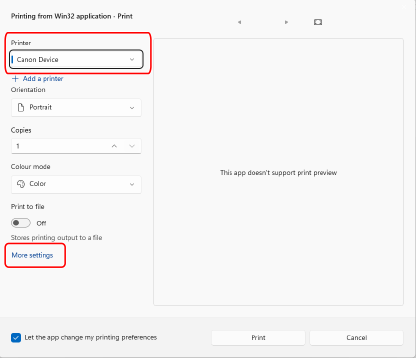
Select the device you are using → click [More settings].
Depending on the application, [More settings] may be called "Printer properties", "Properties", or "Print using system dialog".
3.
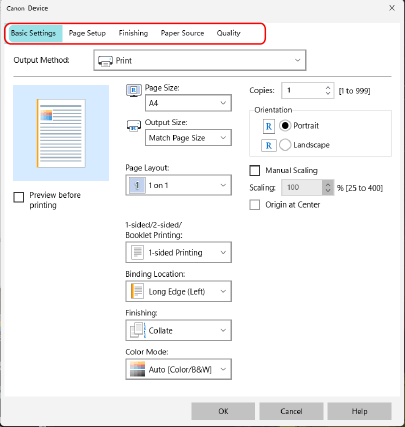
In the print settings screen of this app, set the required items.
If necessary, switch sheets and configure relevant settings.
 NOTE
NOTEIf the function you want to use is not displayed on the print settings screen, configure the print settings after configuring the information and functions of the device on the [Device Settings] sheet.
4.
Click [OK].
5.
In the print screen, click [Print] or [OK].