Displaying/Hiding the Details Window
You can switch between displaying/hiding the Details Window.
You can also change the displayed information with the tabs when the [Print Settings]/[Print Option] tab of the ribbon is selected.
|
NOTE
|
|
The Details Window is not displayed while the following modes are running.
Specify Area Not to Edit Mode
Edit Original Pages Mode
Redaction Mode
|
Displaying/Hiding the Details Window
This section describes how to display the Details Window.
1.
Click  (Details) on the ribbon.
(Details) on the ribbon.Or, click  (Display/Hide Details Window) on the status bar.
(Display/Hide Details Window) on the status bar.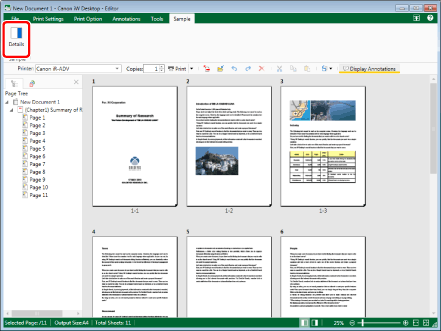
The Details Window is displayed.
|
NOTE
|
|
If commands are not displayed on the ribbon of Desktop Editor, see the following to display them.
This operation can also be performed with the tool buttons on the toolbar. If tool buttons are not displayed on the toolbar of Desktop Editor, see the following to display them.
When using the Print Mode, you can also display the Details Window by clicking
 (Detailed Settings) on the ribbon. (Detailed Settings) on the ribbon.When using the Annotations Mode, you can also perform one of the following operations to display the Details Window.
Click
 (Format Settings) on the ribbon (Format Settings) on the ribbonRight-click an annotation in the Work Window, and select [Annotation Format Settings].
You can perform one of the following operations to hide the Details Window.
Click
 (Details) on the ribbon (Details) on the ribbonClick
 (Detailed Settings) on the ribbon (when using the Print Mode) (Detailed Settings) on the ribbon (when using the Print Mode)Click
 (Format Settings) on the ribbon (when using the Annotations Mode) (Format Settings) on the ribbon (when using the Annotations Mode)Right-click an annotation in the Work Window, and select [Annotation Format Settings].
Click
 on the Details Window. on the Details Window.Click
 (Display/Hide Details Window) on the status bar. (Display/Hide Details Window) on the status bar.When using the Digital Stamps Mode, you can also hide or display the Details Window if you right-click a digital stamp which has been placed tentatively in the Work Window and select [Annotation Format Settings].
|
Changing Content Displayed on the Details Window
This section describes how to change the information displayed on the Details Window when the [Print Settings]/[Print Option] tab of the ribbon is selected.
If the [Print Settings]/[Print Option] tab is selected on the ribbon, the following tabs are displayed on the Details Window.
[Templates] tab: Displays a list of the registered print setting templates.
[Print Settings] tab: Displays the content of the print settings.
[Page Settings] tab: Displays the content of the page settings.
|
NOTE
|
|
If you select the [Tools] tab of the ribbon, the content of the ribbon tab selected before switching to the [Tools] tab is displayed in the Details Window.
|
1.
Select the tab to display on the Details Window.
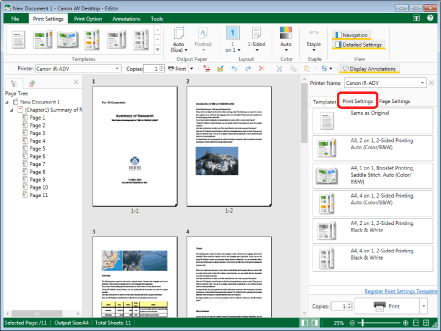
The content displayed on the Details Window changes to content of the selected tab.