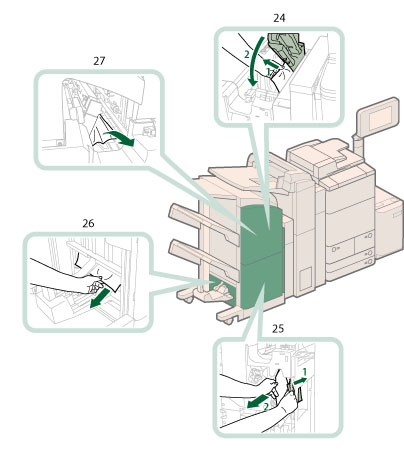
Locations of Paper Jams
Paper jams may occur in the following parts of the machine. See the applicable section to clear the paper jam.
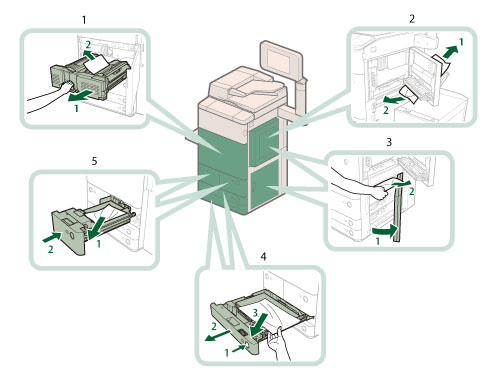
1. |
Fixing Transport Unit |
2. |
Multi-purpose Tray |
3. |
Right Cover of the Machine |
4. |
Paper Drawers 3 and 4 |
5. |
Paper Drawers (Right/Left) |
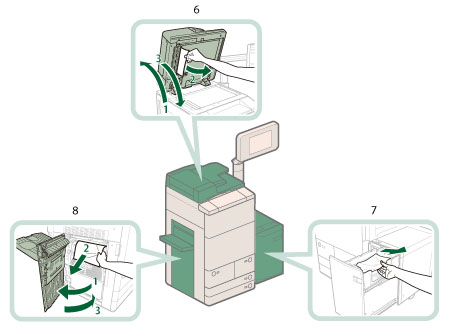
6. |
Duplex Color Image Reader Unit-F1 (Optional) |
7. |
Paper Deck Unit-C1/POD Deck Lite-A1 (Optional) |
8. |
Left Cover of the Machine |
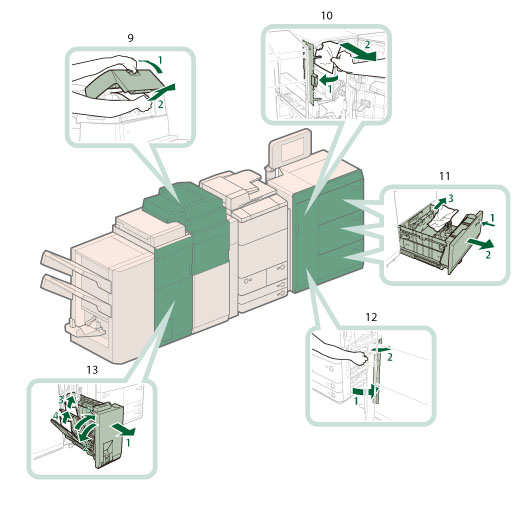
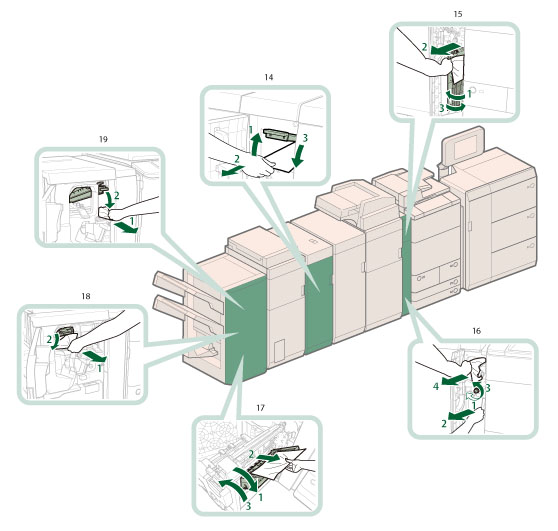
14. |
Professional Puncher Integration Unit-B1 (Optional) |
15. |
Left Cover of the Machine (When the Buffer Pass Unit-J1 is attached) |
16. |
Buffer Pass Unit-J1 (Optional) |
17. |
Saddle Stitcher Unit (Booklet Finisher-K1 (Optional)) |
18. |
Inside the Front Cover (Booklet Finisher-K1 (Optional)) |
19. |
Staple Finisher-K1 (Optional) |
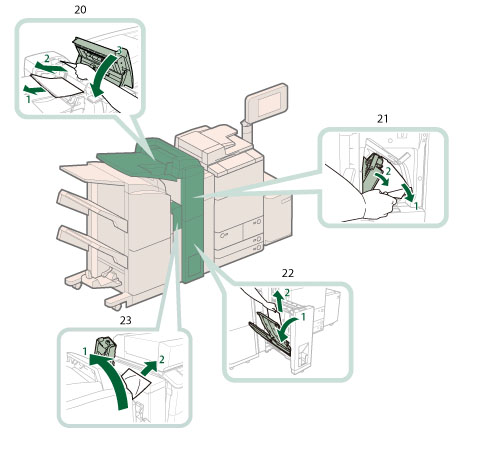
20. |
Insertion Unit |
21. |
Inside the Insertion Unit |
22. |
Folding Unit |
23. |
External 2 Hole Puncher-A1/External 2/3 Hole Puncher-A1/External 2/4 Hole Puncher-A1 (Optional) |