File Operations
You can add/delete files in memory media.
Deleting a File
1.
Press [Access Stored Files] → [Memory Media].

2.
Select the desired memory media → select the directory where the file you want to delete is stored.
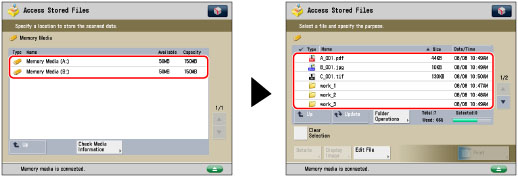
3.
Select the desired file → press [Edit File].
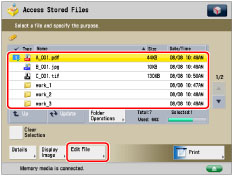
4.
Press [Delete].
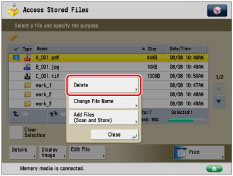
5.
Press [Yes].
Changing a File Name (Change File Name)
1.
Press [Access Stored Files] → [Memory Media].
2.
Select the desired memory media → select the directory where the file you want to change the file name is stored.
3.
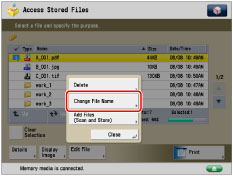
Select the desired file → press [Edit File].
4.
Press [Change File Name].
|
NOTE
|
|
If you select multiple files and press [Change File Name], the selected (highlighted) file becomes the file whose title is changed.
|
5.
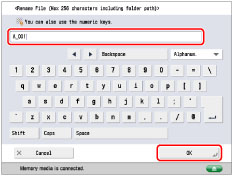
Enter a file name → press [OK].
Adding a File (Scan and Store)
You can scan an original and store it as a file.
|
IMPORTANT
|
|
It is necessary to set <Use Scan Function> in [Use Scan/Print Function] to 'On' to scan originals into memory media. (See "Memory Media Settings.")
|
|
NOTE
|
|
If you want to use the following resolution settings to scan a colour image, it is necessary to expand the memory capacity of the machine with the Additional Memory Type A (512MB).
200 x 400 dpi
400 x 400 dpi
600 x 600 dpi
|
1.
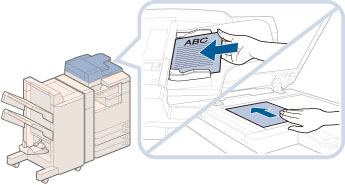
Place your originals.
|
NOTE
|
|
For instructions on placing originals, see "Placing Originals."
|
2.
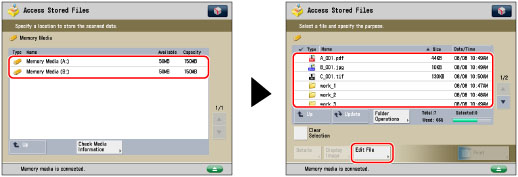
Press [Access Stored Files] → [Memory Media].
3.
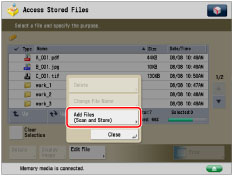
Select the desired memory media → select the directory where you want to store the file → press [Edit File].
4.
Press [Add Files (Scan and Store)].
5.
Specify the desired scan settings.
6.
Press  (Start).
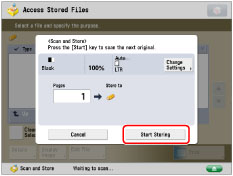
(Start).If the following screen is displayed, after the last batch of originals is scanned, press [Start Storing].
If you place your original on the platen glass, press (Start) to scan each original.
(Start) to scan each original.