Touch Panel Key Display
This section describes the keys that are frequently used on the touch panel display.
Frequently Used Keys
The following keys on the touch panel display are used frequently:
 |
Press to restore the previous settings and close the screen.
|
 |
Press to return to the setting before the current settings screen was displayed, and close the screen.
|
 |
Press to confirm one setting and proceed to the next settings screen.
|
 |
Press to return to the previous settings screen.
|
 |
Press to close the current screen.
|
 |
Press to confirm the setting and close the screen.
|
Touch Panel Key Display
When you press a key on the touch panel display, that key is highlighted and the corresponding mode is set. When you set a mode, the characters on other keys may become grayed out. You cannot press keys that are grayed out. This means that you cannot set these modes in combination with the presently set mode.
Mode Setting Keys
|
State of Keys
|
Description
|
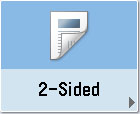 |
The 2-Sided mode is not set, and can be selected.
|
 (The key is highlighted)
|
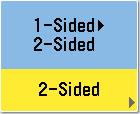
The 2-Sided mode is set, and can be selected.
|
 (The characters on the key are grayed out.)
|
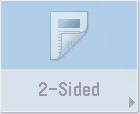
You cannot select the 2-Sided mode in combination with the presently set mode.
|
Keys That Indicate When a Mode Is Enabled or Disabled
|
Mode Is Disabled
|
Mode Is Enabled
|
 |
 (Checked)
|
 |
 (Highlighted)
|
Keys that have a right triangle ( ) indicate that those keys have additional screens to set their functions. If you press a key that does not have a right triangle (), it turns that mode ON or OFF.
) indicate that those keys have additional screens to set their functions. If you press a key that does not have a right triangle (), it turns that mode ON or OFF.|
Keys That Display Additional Settings
|
Keys That Turn Modes ON/OFF
|
 |
 |
If a mode is stored in [Favorite Settings], the display of the key changes. The Copy function is described here as an example.
|
Settings Are Stored
|
No Settings Are Stored
|
 |
 |
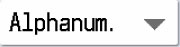
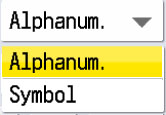
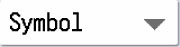
Keys That Display a Drop-Down List
Pressing a key that has a down triangle ( ) to the right of its name, displays a drop-down list containing other setting options.
) to the right of its name, displays a drop-down list containing other setting options.|
Before Selection
|
Drop-Down List
|
After Selection
|
 |
 |
 |
Numeric Keys
Any time the numeric keys icon appears on the screen, you can use the numeric keys on the control panel to enter values.
  |
You can enter values using the numeric keys on the touch panel display or on the control panel.
|
 |
You can only enter values using the numeric keys on the control panel.
|
Displaying a Help Screen
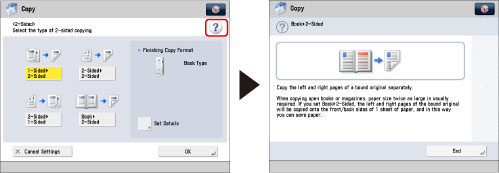
Any time  appears on the touch panel display, you can check a detailed explanation of the function and its settings.
appears on the touch panel display, you can check a detailed explanation of the function and its settings.