Selecting the Driver to Be Installed
After selecting the connection method between the machine and a computer, select the driver to be installed.
1
Press [ ] (Menu).
] (Menu).2
Press [ ] or [
 ] to select <System Settings>, and then press [OK].
] or [] to select <System Settings>, and then press [OK].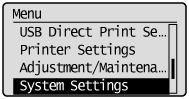
3
Press [] or [] to select <Select PDL (Plug-n-Play)>, and then press [OK].
] or [] to select <Select PDL (Plug-n-Play)>, and then press [OK].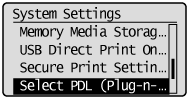
4
Press [] or [] to select <Network> or <USB>, and then press [OK].
] or [] to select <Network> or <USB>, and then press [OK].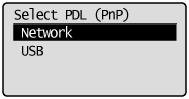
5
Press [] or [] to select the printer driver you are using, and then press [OK].
] or [] to select the printer driver you are using, and then press [OK].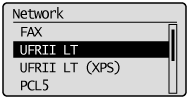
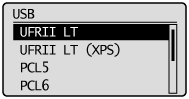
Selectable page description language
|
Network
|
FAX
UFRII LT UFRII LT (XPS) PCL5 PCL6 PS |
|
USB
|
UFRII LT
UFRII LT (XPS) PCL5 PCL6 PS |
6
Press [] (Menu) to close the menu screen.
] (Menu) to close the menu screen.7
Restart the machine.
Turn OFF the machine and wait for at least 10 seconds before turning it ON again.