Check Wireless LAN Information (MF4890dw/MF4880dw Only)
You can check the following information about the wireless LAN:
|
MAC Address
|
The MAC address of the machine
|
|
Wireless LAN Status*
|
Wireless LAN status and signal strength
|
|
Latest Error Information*
|
Latest authentication failure error information
|
|
Channel
|
Current transmission channel
|
|
SSID Settings
|
Current SSID settings of the access point
|
|
Security Settings
|
Details of current security settings
|
|
*
|
You can also check wireless LAN status and latest error information in the Status/Monitor screen.
|
Checking Wireless LAN Information
1
Press [ ] (Menu).
] (Menu).2
Press [ ] or [
 ] to highlight <Network Settings>, and then press [OK].
] or [] to highlight <Network Settings>, and then press [OK].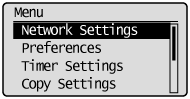
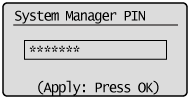
If a System Manager PIN is specified:
Use the numeric keys to enter the System Manager PIN, and then press [OK].
3
Press [] or [] to highlight <Wireless LAN Settings>, and then press [OK].
] or [] to highlight <Wireless LAN Settings>, and then press [OK].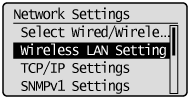
4
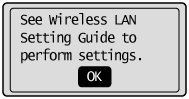
Press [OK].
5
Press [] or [] to highlight <Wireless LAN Information>, and then press [OK].
] or [] to highlight <Wireless LAN Information>, and then press [OK].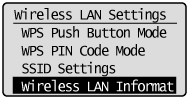
6
Press [] or [] to highlight the setting to check, and then press [OK].
] or [] to highlight the setting to check, and then press [OK].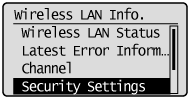
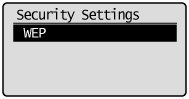
When WEP is selected:
|
(1)
|
Press [OK].
 |
|
(2)
|
Press [
] or [] to highlight WEP settings, and then press [OK].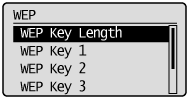 |
When WPA/WPA2-PSK is selected:
|
(1)
|
Press [OK].
 |
|
(2)
|
Press [
] or [] to highlight WPA/WPA2-PSK settings, and then press [OK].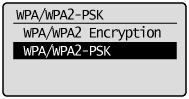 |
7
Check the information.
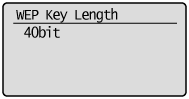
8
Press [] (Menu) to close the Menu screen.
] (Menu) to close the Menu screen.Checking Wireless LAN Information (Wireless LAN Status/Latest Error Information Only)
1
Press [ ] (Status Monitor/Cancel).
] (Status Monitor/Cancel).2
Press [▲] or [▼] to highlight <Network Information>, and then press [OK].
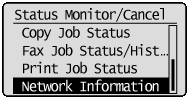
3
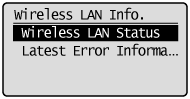
Press [▲] or [▼] to highlight <Wireless LAN Information>, and then press [OK].
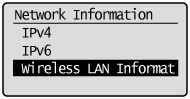
4
Press [▲] or [▼] to highlight the setting to check, and then press [OK].
5
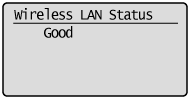
Check the information.
6
Press [] (Status Monitor/Cancel) to close the screen.
] (Status Monitor/Cancel) to close the screen.