Allowing Access from Specific MAC Addresses
To allow access to the machine by networked computers, you can register specific MAC addresses.
Use the Remote UI to specify MAC addresses. You can only select to enable or disable this feature using the operation panel.
|
IMPORTANT
|
When the setup is complete:Restart the machine to activate these settings.
|
|
NOTE
|
When <Wireless LAN> is selected in <Select Wired/Wireless LAN>:The setting in this section is disabled.
|
Number of MAC address that can be specified:You can specify up to 10 MAC addresses.
|
Registering from the Remote UI
1
Start the Remote UI, and then log on in system manager mode.
2
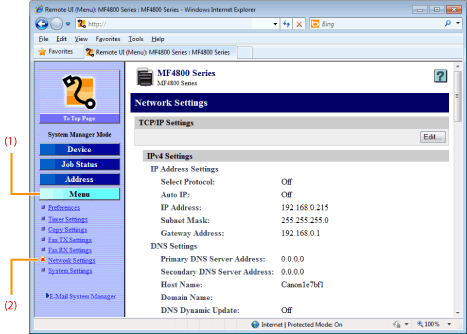
Click [Menu] -> [Network Settings].
3
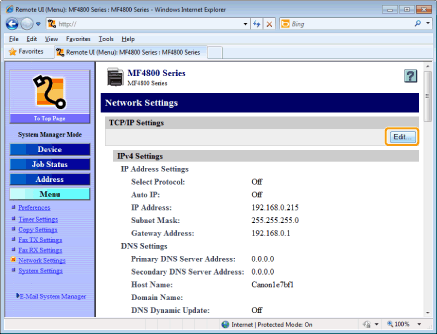
Click [Edit] at the right side of [TCP/IP Settings].
4
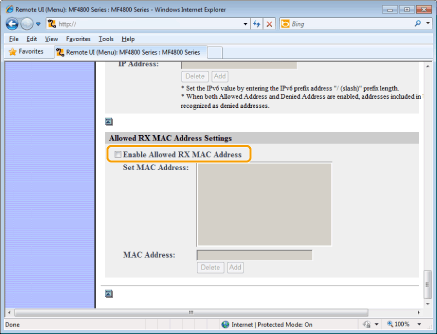
Select the [Enable Allowed RX MAC Address] check box.
|
IMPORTANT
|
||
When [Enable Allowed RX MAC Address] is selected:Access from the MAC addresses that are not allowed is restricted. Doublecheck the MAC address when entering.
|

5
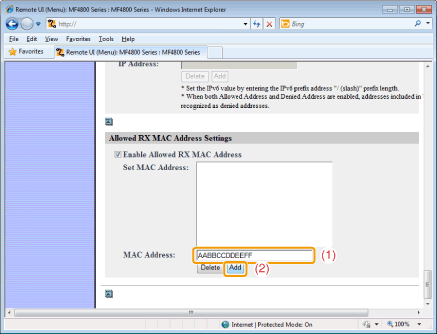
Specify the MAC address to register.
|
(1)
|
Enter the MAC address.
|
||
|
(2)
|
Click [Add].
|
|
NOTE
|
||||
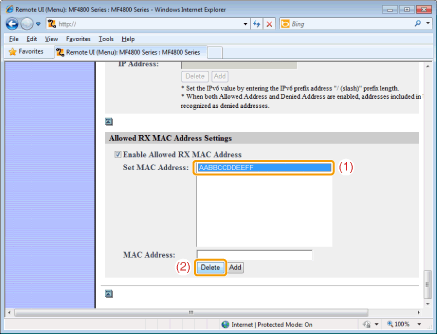
To delete registered MAC addresses:
 |
6
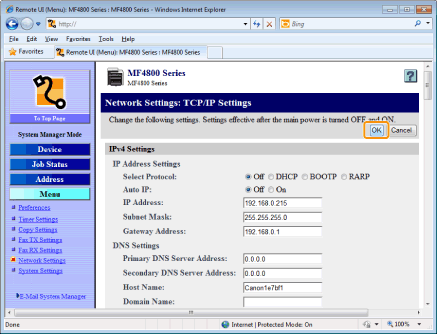
Click [OK].
7
Restart the machine.
It is necessary to restart the machine to take effect the settings.
Turn OFF the machine and wait for at least 10 seconds before turning it back ON.
Turn OFF the machine and wait for at least 10 seconds before turning it back ON.
Registering from the Operation Panel
1
Press [ ] (Menu).
] (Menu).2
Press [ ] or [
 ] to highlight <Network Settings>, and then press [OK].
] or [] to highlight <Network Settings>, and then press [OK].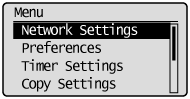
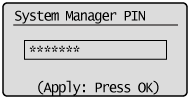
If a System Manager PIN is specified:
Use the numeric keys to enter the System Manager PIN, and then press [OK].
3
Press [] or [] to highlight <TCP/IP Settings>, and then press [OK].
] or [] to highlight <TCP/IP Settings>, and then press [OK].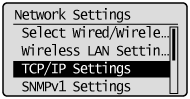
4
Press [] or [] to highlight <Allowed RX MAC Address Settings>, and then press [OK].
] or [] to highlight <Allowed RX MAC Address Settings>, and then press [OK].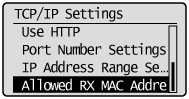
5
Press [] or [] to highlight <On>, and then press [OK].
] or [] to highlight <On>, and then press [OK].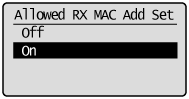
|
<Off>
|
Restrict the access from the specific MAC Addresses
|
|
<On>
|
Allow the access from the specific MAC Addresses
|
Press [] (Menu) to close the Menu screen.
] (Menu) to close the Menu screen.7
Restart the machine.
It is necessary to restart the machine to take effect the settings.
Turn OFF the machine and wait for at least 10 seconds before turning it back ON.
Turn OFF the machine and wait for at least 10 seconds before turning it back ON.