Navigating the Menu
This section describes how to navigate the menu and configure menu options.

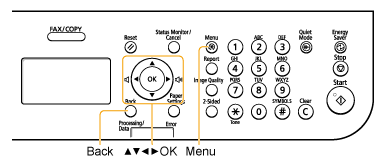
Use the following keys to navigate the menu and configure menu options.
Entering the Menu Screen
Press [ ] (Menu) to enter the menu screen.
] (Menu) to enter the menu screen.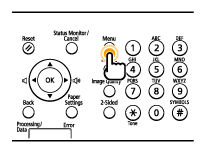
Scrolling the Menu
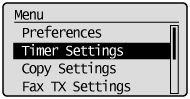
The scroll bar on the right side of the screen indicates that more items are available in the menu.
To select an item that is not shown on the screen, press [ ] or [
 ] to scroll up and down.
] or [] to scroll up and down.The currently selected item is highlighted with a black background.
Selecting a Menu Item
Press [OK] to select the highlighted menu item.
If the menu has a submenu, press [OK] or [ ] to select the item and proceed to the next screen.
] to select the item and proceed to the next screen.To return to the previous screen, press [ ] (Back) or [
 ].
].
] (Back) or [].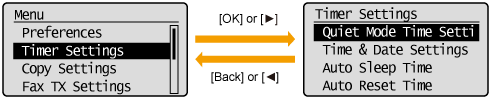
Configuring Menus Using the Navigation Keys
How to Configure Menus
|
What do you want to do?
|
Screen Example
|
Procedure
|
||
|
Adjust levels, such as density on the scale
|
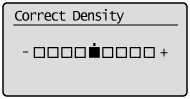 |
Press [
] or [] to adjust the level. |
||
|
Set the timer
|
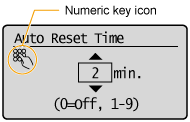 |
Press [
] or [] to specify the value.
|
||
|
Enter numbers or characters such as a PIN
|
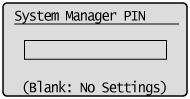 |
You can enter numbers or characters using the numeric keys.
|
Confirming Entries
|
|
To confirm an entered number or character:
|
|
|
|
|
Press [OK].
Press [
] or [] to highlight <Apply>, and then press [OK]. |
Closing the Menu Screen
Press [] (Menu) to close the Menu screen.
] (Menu) to close the Menu screen.|
NOTE
|
If you press [
|