
Toner Cartridge Replacement
|
|
For details on the yield of the toner cartridge or replacement toner cartridges, see "Consumables."
|
|
Toner cartridges are consumable products. When the toner cartridge is nearing the end of its life, the following symptoms occur.
The following messages appear in the Control Panel.
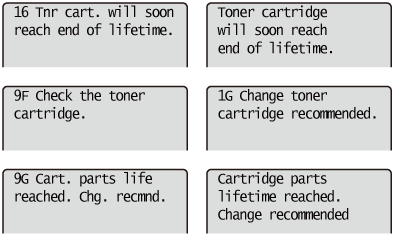 For details on the contents of and the solutions for the above messages, see "If a Message Appears in the Display."
White streaks, unevenness, or faded print appears on printout results.
  |
 |
 |
If these types of symptom occur
|
|
Perform the procedure described in the following section before replacing the toner cartridge. You may be able to print for a while until the toner is used up completely.
|
|
|
|
If the printout result is not improved
|
|
If white streaks, unevenness, or faded print appears on printout results even after performing the above procedure, replace the toner cartridge with a new one.
|
<In cases such as where you do not immediately replace the toner cartridge with a replacement toner cartridge after purchasing it>
Pay attention to the points described in the following section to store it.
If a Message Appears in the Display
Toner cartridges are consumable products. When a toner cartridge is nearing the end of its life, a message will appear in the display. Follow the directions in the message.
|
Message
|
When it is Displayed
|
Contents and Solutions
|
|
<16 Tnr cart. will soon reach end of lifetime.> *1
|
When the toner cartridge needs to be replaced soon
|
You can continue to print.
Have ready a new toner cartridge.
We recommend that you replace the toner cartridge before printing a large amount of data.
|
|
<Toner cartridge will soon reach end of lifetime.> *1
|
When the toner cartridge needs to be replaced soon
|
The printer stops printing.
Pressing [
 ] ( ] ( Online) continues the job. Online) continues the job.Have ready a new toner cartridge.
We recommend that you replace the toner cartridge before printing a large amount of data.
|
|
<9F Check the toner cartridge.> *2
|
The toner cartridge may have reached the end of its life.
|
You can continue to print, but this may cause the printer to malfunction. Replacing these cartridges with new cartridges is recommended.
|
|
<1G Change toner cartridge recommended.>
|
The toner cartridge has reached the end of its life.
|
You can continue to print.
Replacing the toner cartridge with a new one is recommended.
|
|
<9G Cart. parts life reached. Chg. recmnd.> *2
|
If there is a possibility that the toner cartridge parts have reached the end of their lives
|
You can continue to print, but this may cause the printer to malfunction. Replacing these cartridges with new cartridges is recommended.
|
|
<Cartridge parts lifetime reached. Change recommended> *2
|
The toner cartridge parts have reached the end of their lives
|
The printer stops printing.
You can continue printing by pressing [
] (Online).Continuing to use these cartridges may cause the printer to malfunction, so replacing these cartridges with new cartridges is recommended.
|
|
<1H Re-insert the toner cartridge.>
|
When the toner cartridge is not installed in the proper position
|
Remove the toner cartridge, and then reinstall it properly.
|
|
*1
|
Whether <16 Tnr cart. will soon reach end of lifetime.> or <Toner cartridge will soon reach end of lifetime.> appears when the toner is running out depends on the setting for [Warning Step] in the [Setup] menu. The printer is set to display <16 Tnr cart. will soon reach end of lifetime.> in the default settings. For details on the setting for [Warning Step], see "[Setup] Menu ([Control Menu] Options)."
|
|
*2
|
When the toner cartridge needs to be replaced soon, whether <9F Check the toner cartridge.> or <Cartridge parts lifetime reached. Change recommended> / <9G Cart. parts life reached. Chg. recmnd.> appears depends on the setting for [Cart. Parts Life End] in the [Setup] menu. The printer is set to display <9F Check the toner cartridge.> in the default settings. For details on the setting for [Cart. Parts Life End], see "[Setup] Menu ([Control Menu] Options)."
|