The Lists Common to All the Settings in the Print Mode
|
IMPORTANT
|
|
The following lists are samples. The contents may partially differ from the lists printed by your printer.
|
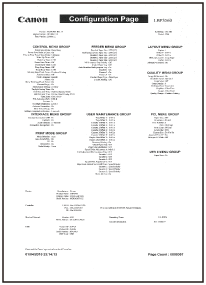
Configuration Page
The printer information and the settings for printing environment are printed.
|
1.
|
Make sure that the printer is online.
|
|
2.
|
Press [
 ] ( ] ( Utility) to display the [Utility Menu] menu. Utility) to display the [Utility Menu] menu. |
|
3.
|
Select [Configuration Page] using [
 ] and [ ] and [  ], and then press [OK]. ], and then press [OK]. |
|
4.
|
Select [Yes] using [
] in the [Execute?] display, and then press [OK] to output the page. |
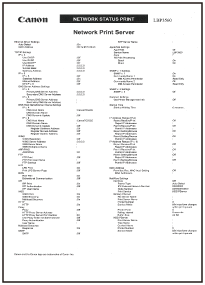
Network Status Print
Prints the version number and the settings of the print server equipped with this printer.
|
1.
|
Make sure that the printer is online.
|
|
2.
|
Press [
] (Utility) to display the [Utility Menu] menu. |
|
3.
|
Select [Network Status Print] using [
] and [ ], and then press [OK]. |
|
4.
|
Select [Yes] using [
] in the [Execute?] display, and then press [OK] to output the page. |
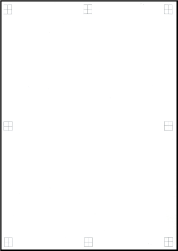
Printing Position Adjustment Print
Displays the current printing positions of each paper source. Adjust the printing positions referring to this print. For more details, see "Adjusting the Printing Position for Each Paper Source."
|
1.
|
Press [
 ] ( ] ( Feeder Selection). Feeder Selection). |
|
2.
|
Select [Paper Source] using [
] and [ ], and then press [OK]. |
|
3.
|
Select the paper source that you want to check the printing position using [
] and [ ], and then press [OK]. |
|
4.
|
Press [
 ] ( ] ( Online). Online). |
|
5.
|
Make sure that the printer is online. If the printer is not online, press [
] (Online). |
|
6.
|
Press [
] (Utility) to display [Utility Menu] menu. |
|
7.
|
Select [Printing Pos. Print] using [
] and [ ], and then press [OK]. |
|
8.
|
Select [Yes] using [
] in the [Execute?] display, and then press [OK] to output the page. |