How to Use This Manual (e-Manual)
Symbols Used in This Manual
The following symbols are used in this manual to explain procedures, restrictions, handling precautions, and instructions that should be observed for safety.
 WARNING WARNING |
Indicates a warning concerning operations that may lead to death or injury to persons if not performed correctly. To use the machine safely, always pay attention to these warnings.
|
|
CAUTION |
Indicates a caution concerning operations that may lead to injury to persons if not performed correctly. To use the machine safely, always pay attention to these cautions.
|
 IMPORTANT IMPORTANT |
Indicates operational requirements and restrictions. Be sure to read these items carefully to operate the machine correctly, and avoid damage to the machine or property.
|
 NOTE NOTE |
Indicates a clarification of an operation, or contains additional explanations for a procedure. Reading these notes is highly recommended.
|
 |
Indicates an operation that must not be performed. Read these items carefully, and make sure not to perform the described operations.
|
Keys and Buttons Used in This Manual
The following key and button names are a few examples of how keys to press and buttons to click are expressed in this manual:
Touch Panel Display Keys: [Key Name]
|
Examples:
|
[Cancel]
|
|
[Close]
|
Control Panel Keys: Key Icon (Key Name)
|
Examples:
|
 (Start) (Start) |
 (Stop) (Stop) |
Buttons on Computer Operation Screens: [Button Name]
|
Examples:
|
[OK]
|
|
[Add]
|
Displays Used in This Manual
Screen shots of the touch panel display used in this manual are those taken when the imageRUNNER ADVANCE C3330 has the following optional equipment attached to it:
DADF-AQ1
Cassette Feeding Unit-AL1
Booklet Finisher-U1
3 Way Unit-D1
Super G3 FAX Board
Web Access Software-H1
Note that functions that cannot be used depending on the model or options do not appear on the touch panel display.
Keys to Press for Operation
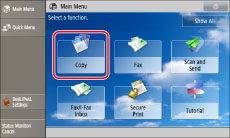
The keys which you should press are marked with a  , as shown above. When multiple keys can be pressed on the touch panel display, all keys are marked. Select the keys, which suit your needs.
, as shown above. When multiple keys can be pressed on the touch panel display, all keys are marked. Select the keys, which suit your needs.Screen shots used in this manual may differ from the ones you actually see.
Illustrations Used in This Manual
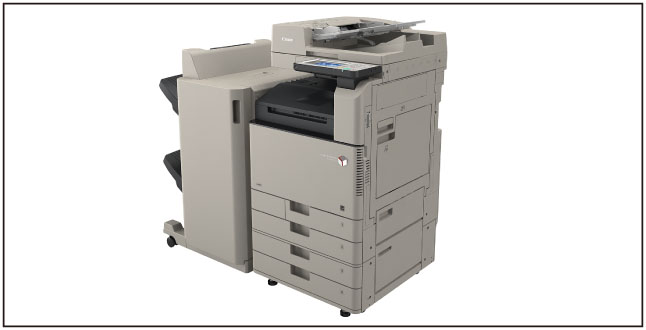
Illustrations used in this manual are those displayed when the imageRUNNER ADVANCE C3330 has the following optional equipment attached to it:
DADF-AQ1
Cassette Feeding Unit-AL1
Booklet Finisher-U1
3 Way Unit-D1