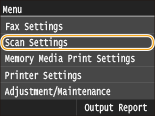
Scan Settings
 |
|
All the settings about the scan are listed with short descriptions. Default settings are marked with a dagger (
 ). ). |
 |
Asterisks (*)Settings marked with "*1" are enabled only when an optional Send PDF Security Feature Set is registered.
Settings marked with "*2" is available at a time, depending on the PDF encryption setting. 256-bit AES Settings for Encrypted PDF
Settings marked with "*3" are only available for the MF729Cx.
Settings marked with "*4" are only available for the MF729Cx / MF628Cw.
|
USB Memory Settings
You can change and register the settings used when data is saved to a USB memory device.
Change Default Settings
Specify settings used for saving scanned documents to a USB memory device. The selected settings are used as the default settings when scanning documents. Changing Default Settings
|
Scan Size
A4
A5
B5
LTR
LGL
STMT
File Format
PDF
PDF (Compact)
PDF (Compact/OCR)
PDF (OCR)
Set PDF Details*1
PDF
Encryption Level: None
, Acrobat 7.0 or Later/128-bit AES, Acrobat 9.0 or Equivalent/256-bit AES*2,Acrobat 10.0 or Equivalent/256-bit AES*2Digital Signatures: None
, Top LeftPDF (Compact)
Encryption Level: None
, Acrobat 7.0 or Later/128-bit AES, Acrobat 9.0 or Equivalent/256-bit AES*2, Acrobat 10.0 or Equivalent/256-bit AES*2Digital Signatures: None
, Top LeftPDF (Compact/OCR)
Encryption Level: None
, Acrobat 7.0 or Later/128-bit AES, Acrobat 9.0 or Equivalent/256-bit AES*2, Acrobat 10.0 or Equivalent/256-bit AES*2Digital Signatures: None
, Top LeftPDF (OCR)
Encryption Level: None
,Acrobat 7.0 or Later/128-bit AES, Acrobat 9.0 or Equivalent/256-bit AES*2, Acrobat 10.0 or Equivalent/256-bit AES*2Digital Signatures: None
, Top LeftJPEG
TIFF
Density
Nine Levels
Original Orientation
Portrait
Landscape
Original Type
Text
Text/Photo
Photo
2-Sided Original*3
Off
Book Type
Calendar Type
Sharpness
Seven Levels
Data Size
Small: Memory Priority
Standard
Large: Image Quality Priority
|
Initialize Default Settings 
Select this option to restore the default settings for saving data to a USB memory device.
<Menu>  <Scan Settings> <USB Memory Settings> <Initialize Default Settings> <Yes>
<Scan Settings> <USB Memory Settings> <Initialize Default Settings> <Yes> E-Mail Settings *4
Specify settings used for scanning documents to send as e-mails.
Change Default Settings
Specify settings used for scanning documents to send as e-mails. The selected settings are used as the default settings when scanning documents. Changing Default Settings
|
Scan Size
A4
A5
B5
LTR
LGL
STMT
File Format
PDF
PDF (Compact)
PDF (Compact/OCR)
PDF (OCR)
Set PDF Details*1
PDF
Encryption Level: None
, Acrobat 7.0 or Later/128-bit AES, Acrobat 9.0 or Equivalent/256-bit AES*2,Acrobat 10.0 or Equivalent/256-bit AES*2Digital Signatures: None
, Top LeftPDF (Compact)
Encryption Level: None
, Acrobat 7.0 or Later/128-bit AES, Acrobat 9.0 or Equivalent/256-bit AES*2, Acrobat 10.0 or Equivalent/256-bit AES*2Digital Signatures: None
, Top LeftPDF (Compact/OCR)
Encryption Level: None
, Acrobat 7.0 or Later/128-bit AES, Acrobat 9.0 or Equivalent/256-bit AES*2, Acrobat 10.0 or Equivalent/256-bit AES*2Digital Signatures: None
, Top LeftPDF (OCR)
Encryption Level: None
,Acrobat 7.0 or Later/128-bit AES, Acrobat 9.0 or Equivalent/256-bit AES*2, Acrobat 10.0 or Equivalent/256-bit AES*2Digital Signatures: None
, Top LeftJPEG
TIFF
Density
Nine Levels
Original Orientation
Portrait
Landscape
Original Type
Text
Text/Photo
Photo
2-Sided Original*3
Off
Book Type
Calendar Type
Sharpness
Seven Levels
Data Size
Small: Memory Priority
Standard
Large: Image Quality Priority
Subject/Message
Subject
Attached Image
Message
Reply To
None
Specify from Address Book
Priority
Low
Standard
High
|
Initialize Default Settings
Select this option to restore the default e-mail transmission settings.
<Menu> <Scan Settings> <E-Mail Settings> <Initialize Default Settings> <Yes>
<Scan Settings> <E-Mail Settings> <Initialize Default Settings> <Yes> I-Fax Settings *4
Specify the basic settings for using the machine as a I-Fax device.
TX Function Settings
You can change and register the settings used for sending I-Faxes.
Change Default Settings
Specify settings used for sending I-Fax. The selected settings are used as the default settings when scanning documents. Changing Default Settings
|
Scan Size
A4
A5
B5
LTR
LGL
STMT
Density
Nine Levels
Original Type
Text
Text/Photo
Photo
2-Sided Original*3
Off
Book Type
Calendar Type
Sharpness
Seven Levels
Subject/Message
Subject
Attached Image
Message
Reply To
None
Specify from Address Book
|
TX Terminal ID
Information such as the date and time of transmission and the e-mail address of the machine (sender information) can be added as a header in transmitted documents. This information tells the recipient when the I-Fax was sent and who sent it.
|
Off
On
Print Position
Inside Image Area
Outside Image Area
|
<Menu> <Scan Settings> <I-Fax Settings> <TX Function Settings> <TX Terminal ID> <On> <Print Position> Select <Inside Image Area> or <Outside Image Area> <Apply>
<Scan Settings> <I-Fax Settings> <TX Function Settings> <TX Terminal ID> <On> <Print Position> Select <Inside Image Area> or <Outside Image Area> <Apply> Initialize Default Settings
Select this option to restore the default I-Fax transmission settings.
<Menu> <Scan Settings> <I-Fax Settings> <TX Function Settings> <Initialize Default Settings> <Yes>
<Scan Settings> <I-Fax Settings> <TX Function Settings> <Initialize Default Settings> <Yes> RX Print Settings
Specify settings for printing received I-Faxes.
Print on Both Sides *3
Specify settings for printing received I-Faxes on both sides of paper.
|
Off
On
|
<Menu> <Scan Settings> <I-Fax Settings> <RX Print Settings> <Print on Both Sides> <On>
<Scan Settings> <I-Fax Settings> <RX Print Settings> <Print on Both Sides> <On> RX Print Size
Specify the paper size to be used for printing.
|
A4
LGL
LTR
OFICIO
Brazil-OFICIO
Mexico-OFICIO
Government-LTR
Government-LGL
FOOLSCAP
AUS-FOOLSCAP
India-LGL
|
<Menu> <Scan Settings> <I-Fax Settings> <RX Print Settings> <RX Print Size> Select the paper size
<Scan Settings> <I-Fax Settings> <RX Print Settings> <RX Print Size> Select the paper size File Settings *4
You can change and register the settings used when documents are saved to a shared folder or FTP server.
Change Default Settings
You can change the default settings used when documents are saved to a shared folder or FTP server. The selected settings are used as the default settings when scanning. Changing Default Settings
|
Scan Size
A4
A5
B5
LTR
LGL
STMT
File Format
PDF
PDF (Compact)
PDF (Compact/OCR)
PDF (OCR)
Set PDF Details*1
PDF
Encryption Level: None
, Acrobat 7.0 or Later/128-bit AES, Acrobat 9.0 or Equivalent/256-bit AES*2,Acrobat 10.0 or Equivalent/256-bit AES*2Digital Signatures: None
, Top LeftPDF (Compact)
Encryption Level: None
, Acrobat 7.0 or Later/128-bit AES, Acrobat 9.0 or Equivalent/256-bit AES*2, Acrobat 10.0 or Equivalent/256-bit AES*2Digital Signatures: None
, Top LeftPDF (Compact/OCR)
Encryption Level: None
, Acrobat 7.0 or Later/128-bit AES, Acrobat 9.0 or Equivalent/256-bit AES*2, Acrobat 10.0 or Equivalent/256-bit AES*2Digital Signatures: None
, Top LeftPDF (OCR)
Encryption Level: None
,Acrobat 7.0 or Later/128-bit AES, Acrobat 9.0 or Equivalent/256-bit AES*2, Acrobat 10.0 or Equivalent/256-bit AES*2Digital Signatures: None
, Top LeftJPEG
TIFF
Density
Nine Levels
Original Orientation
Portrait
Landscape
Original Type
Text
Text/Photo
Photo
2-Sided Original*3
Off
Book Type
Calendar Type
Sharpness
Seven Levels
Data Size
Small: Memory Priority
Standard
Large: Image Quality Priority
|
Initialize Default Settings
You can change and register the settings used when documents are saved to a shared folder or FTP server.
<Menu> <Scan Settings> <File Settings> <Initialize Default Settings> <Yes>
<Scan Settings> <File Settings> <Initialize Default Settings> <Yes> Register Unit Name (E-Mail/I-Fax) *4
Register the sender name for e-mails and I-Faxes. The registered name is displayed in e-mails, along with the e-mail address. If the sender name is not registered, only the e-mail address is displayed.
<Menu> <Scan Settings> <Register Unit Name (E-Mail/I-Fax)> Enter the sender name <Apply>
<Scan Settings> <Register Unit Name (E-Mail/I-Fax)> Enter the sender name <Apply> Output File Image Settings
Specify settings for the gamma value and file compression ratio for converting scanned documents into files.
YCbCr TX Gamma Value
Select the gamma value used when converting scanned color documents into the specified file format. You can specify the same gamma value as that of the monitor which is to be used for viewing the converted files. The files are displayed with brightness that is true to the original documents. Setting Gamma Values
|
Gamma 1.0
Gamma 1.4 Gamma 1.8 Gamma 2.2 |
PDF (Compact) Image Quality Level
Adjust the balance between data size and image quality to suit the type of document you are scanning when converting scanned documents into PDF (Compact) files. <Data Size Priority> makes the compression ratio higher than normal to create smaller files with lower image quality. On the other hand, <Image Quality Priority> makes the compression ratio lower than normal to create larger files with higher image quality. Selecting a File Format
|
Image Level in Text/Photo Mode or Photo Mode
Data Size Priority
Normal Image Quality Priority Image Level in Text Mode
Data Size Priority
Normal Image Quality Priority |
OCR (Text Searchable) Settings
To run OCR (Optical Character Recognition) on a text document to create a "searchable PDF", specify whether the machine determines the document's text direction and detects the document direction.
|
Smart Scan
Off
On
|
<Menu> <Scan Settings> <OCR (Text Searchable) Settings> <Smart Scan> Select <Off> or <On>
<Scan Settings> <OCR (Text Searchable) Settings> <Smart Scan> Select <Off> or <On> 256-bit AES Settings for Encrypted PDF *1
Specify the encryption level when encrypting PDFs with 256-bit AES. The encryption level specified here is then selectable as a level for specifying encryption as a PDF Details.
|
Acrobat 9.0 or Equivalent
Acrobat 10.0 or Equivalent
|
<Menu> <Scan Settings> <256-bit AES Settings for Encrypted PDF> Select <Acrobat 9.0 or Equivalent> or <Acrobat 10.0 or Equivalent>
<Scan Settings> <256-bit AES Settings for Encrypted PDF> Select <Acrobat 9.0 or Equivalent> or <Acrobat 10.0 or Equivalent>