Viewing Network Settings
Press this machine's  (Paper) key and hold it down for 3 seconds to print a list of the machine's settings. This allows you to check IPv4 settings, the MAC address, and wired/wireless LAN settings. The setting list is formatted to print on A4 size paper. Before printing, load A4 size paper in the drawer. Loading Paper in the Drawer
(Paper) key and hold it down for 3 seconds to print a list of the machine's settings. This allows you to check IPv4 settings, the MAC address, and wired/wireless LAN settings. The setting list is formatted to print on A4 size paper. Before printing, load A4 size paper in the drawer. Loading Paper in the Drawer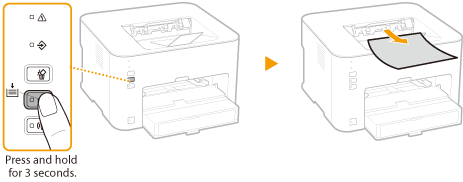
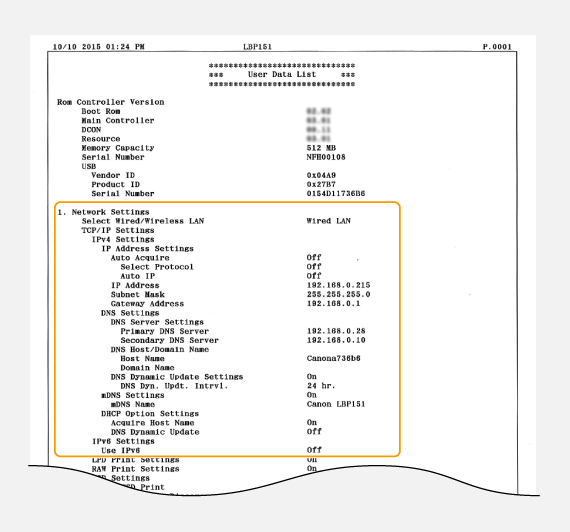
Output example:
 |
IP AddressThe IP address is not correctly configured if it is displayed as "0.0.0.0". Connecting the machine to multiple switching hubs or bridges for redundancy may result in a connection failure even when the IP address is correctly configured. This problem can be solved by setting a certain interval before the machine starts communicating. Setting a Wait Time for Connecting to a Network Using the Printer Status Window to print a setting listYou can also print this setting list from the Printer Status Window. Printing Setting Lists |