Specifying Previously Used Destinations
 | You can select a destination from among the past three destinations. When you specify a previously used destination, the machine also sets the same scan settings such as density you used the last time you sent documents to that destination. |
 |
When <Restrict Resending from Log> is set to <On>, you cannot use this feature. Disabling Use of Previously Used Destinations Turning OFF the machine or setting <Restrict New Destinations> to <On> deletes the past destinations, and disables this feature. Limiting Available Destinations |
 |
When you specify a destination using this feature, any destinations that you have already specified are deleted. |
1
Press  and tap <Scan>.
and tap <Scan>.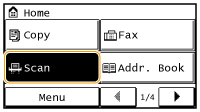
2
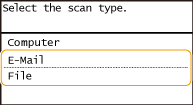
Tap <E-Mail> or <File>.
3
Select <Destination>  <Recall Set.>.
<Recall Set.>. If <E-Mail> is selected at step 2
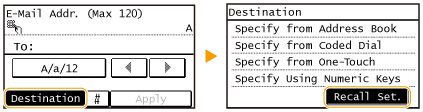
If <File> is selected at step 2
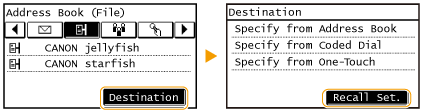
4
Select a destination.
When you transmit to multiple destinations, only the address specified for the first transmission is displayed in the log, but all the destinations are specified.
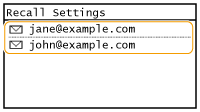
The selected destination and its scan settings are specified. You can also change the settings before sending.
To delete destinations (e-mail)
When you transmitted to multiple destinations, you can delete destinations as necessary.
1 | Select <Destination> <Confirm/Edit>.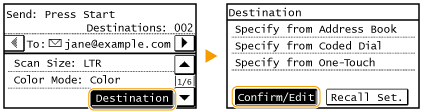 |
2 | Select a destination you want to delete. 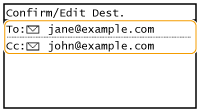 |
3 | Tap <Remove>. If you select Group Dial in step 2, <Number of Destinations> is displayed. Tapping this item displays destinations registered in the group. 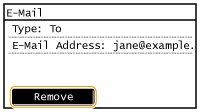 |
4 | Tap <Yes>. |
|
If you want to easily and quickly delete destinations without displaying a list of destinationsBefore tapping <Destination> in step 1, you can tap  / / to toggle the destinations you specified. Display a destination you want to delete, and press to toggle the destinations you specified. Display a destination you want to delete, and press  . . |