[Start]
 select [Control Panel] [Printer]. select [Control Panel] [Printer]. select [Devices and Printers]. select [Control Panel] [View devices and printers]. select [Control Panel] [View devices and printers].
 ] select [Control Panel] [Hardware and Sound] [Devices and printers]. select [Control Panel] double-click [Printers]. select [Control Panel] [View network status and tasks] select [Turn on network discovery] under [Network discovery]. select [Control Panel] [View network status and tasks] [Change advanced sharing settings] select [Turn on network discovery] under [Network discovery]. select [Control Panel] [View network status and tasks] [Change advanced sharing settings] select [Turn on network discovery] under [Network discovery]. select [Control Panel] [View network status and tasks] [Change advanced sharing settings] select [Turn on network discovery] under [Network discovery].] select [Control Panel] [View network status and tasks] [Change advanced sharing settings] select [Turn on network discovery] under [Network discovery]. select [Control Panel] double-click [Network and Sharing Center] select [Turn on network discovery] under [Network discovery]. select [All Programs] or [Programs] [Accessories] [Windows Explorer]. select [File Explorer]. select [File Explorer].] select [File Explorer].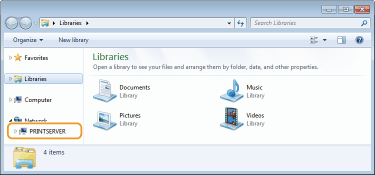
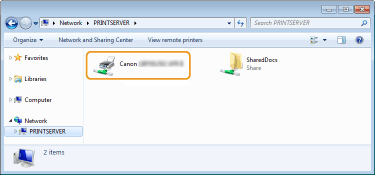
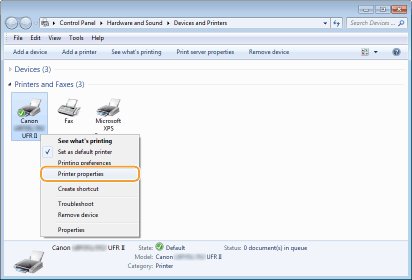
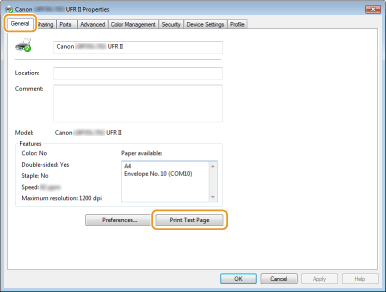 select [Control Panel]. select [Control Panel]. select [Control Panel]. [System].] select [Settings] [System] [About].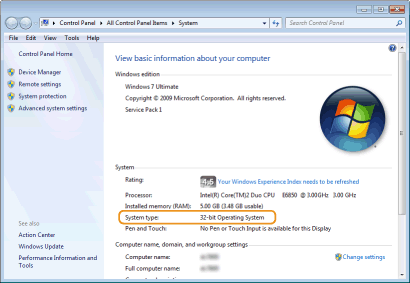
|
1
|
Open the [Start] menu, select [Control Panel], and click [View network status and tasks]
 [Manage network connections]. [Manage network connections]. |
|
2
|
Right-click the [Local Area Connection] icon, and click [Properties] in the pop-up menu.
|
|
1
|
Open the [Start] menu, select [Control Panel], and click [View network status and tasks]
[Change adapter settings]. |
|
2
|
Right-click the [Local Area Connection] icon, and click [Properties] in the pop-up menu.
|
|
1
|
Right-click the lower left corner of the screen
Select [Control Panel], and click [View network status and tasks] [Change adapter settings]. |
|
2
|
Right-click the [Local Area Connection] icon, and click [Properties] in the pop-up menu.
|
|
1
|
Open the [Start] menu, select [Control Panel], double-click the [Network and Sharing Center] tab, and then click [Manage network connections].
|
|
2
|
Right-click the [Local Area Connection] icon, and click [Properties] in the pop-up menu.
|
|
1
|
Right-click the [Start]
Select [Control Panel], and click [View network status and tasks] [Change adapter settings]. |
|
2
|
Right-click the [Local Area Connection] icon, and click [Properties] in the pop-up menu.
|
|
1
|
Right-click [
] Select [Control Panel], and click [View network status and tasks] [Change adapter settings]. |
|
2
|
Right-click the [Ethernet] icon, and click [Properties] in the pop-up menu.
|