Online Return
If the computer to return the Desktop license from (transfer source) is connected to the Internet, return the license using the license information management application.
Return the License
|
NOTE
|
|
Make sure to completely exit Desktop before performing this operation. Exit Desktop Browser, Desktop Editor, Printer Monitor, and Document Monitor.
|
1.
Select the [Start] menu > [All Programs] > [Canon iW] > [iW Desktop] > [iW Desktop License Information Management].
The [License Information Management] dialog box is displayed.
|
NOTE
|
|
For Windows 8.1, click
 > [iW Desktop License Information Management] on the [Start] screen. > [iW Desktop License Information Management] on the [Start] screen.For Windows 10, select the [Start] menu > [All apps] > [Canon iW] > [iW Desktop License Information Management].
|
2.
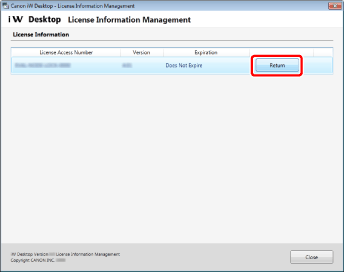
Click [Return].
3.
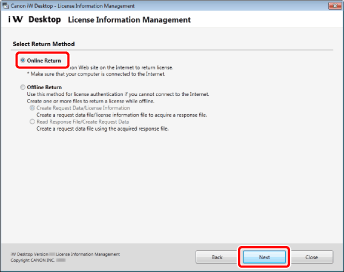
Select [Online Return] and click [Next].
4.
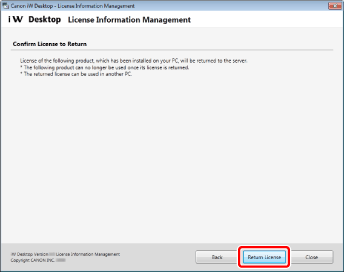
Verify the contents of the window and click [Return License].
5.
Click [Exit].
Re-authenticate the License
Use the same License Access Number as the license you returned to re-authenticate the license on the computer where you want to use Desktop (transfer destination).
For details on how to authenticate a license, refer to the following.