Secured Printing
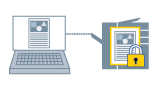
You can save print data in the printer with a PIN. This function is useful when printing a confidential document.
 |
|
PIN protection
|
1.
Display the [Print Settings] tab.
2.
Select [Output Method] → [Secured Print] → click [Details].
The [Secured Print Details] Dialog Box is displayed.
3.
Set [User Name] and [PIN] → click [OK].
4.
Click [OK] in the printer driver screen.
5.
Click the print button in the application.
The [Confirm PIN] Dialog Box is displayed.
6.
Confirm or set the document name, user name, and PIN → click [OK].
The print data is sent to the printer. When you want to output the print data, select the document and enter the PIN from the control panel of the printer or the Remote UI.
About this Function
References
Print data that is stored in the printer is erased when the printer is turned off.
You can also set the user name and PIN beforehand (see User Information Settings).