Optional Equipment
The functionality of the machine can be expanded by installing optional equipment to the machine. Install the optional equipment to meet your needs such as by loading a large amount of paper.
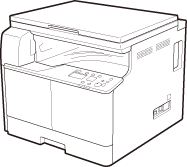
Platen Cover Type X (imageRUNNER 2206N / 2006N)
The Platen Cover Type X can be attached to the imageRUNNER 2206N / 2006N in place of the feeder (DADF-AY). Close the platen cover to secure originals that have been placed on the platen glass.
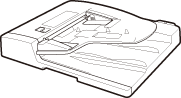
Feeder (DADF-AY) (imageRUNNER 2206N / 2006N)
The Feeder can be attached to the imageRUNNER 2206N / 2006N in place of the platen cover. Automatically feeds documents into the machine for scanning. When two or more sheets are loaded in the feeder, documents can be scanned continuously.
Optional Paper Drawer
You can install the optional paper drawer to the machine.
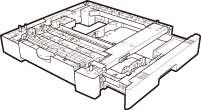
Cassette Feeding Module-AD (imageRUNNER 2206N / 2006N)
In addition to the provided standard paper drawer and multi-purpose tray, you can install the optional paper drawer to the machine. The optional paper drawer can hold up to 250 sheets (80 g/m²).
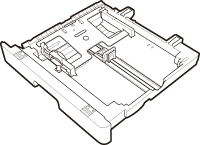
FL Cassette-BB
You can replace the standard paper drawer of the machine with the optional paper drawer. The optional paper drawer cannot be attached to the optional Cassette Feeding Module-AD.
 |
|
For how to load paper into the paper drawer, see Loading Paper.
For available paper sizes, see Available Paper.
|
Duplex Unit-C (imageRUNNER 2206N / 2006N)
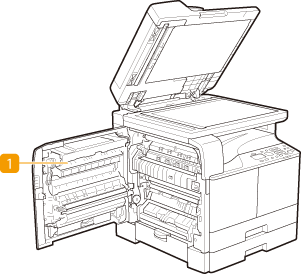
The Duplex Unit-C ( ) enables you to use the 2-sided mode for copying or printing.
) enables you to use the 2-sided mode for copying or printing.