Checking Consumables
You can use the operation panel to check the information of the consumables.
Checking Paper
You can display the currently specified paper size and paper type, and the remaining paper level for each paper source.
 (
( )
)  <Consumables Info.>
  <Paper Information> Select the paper source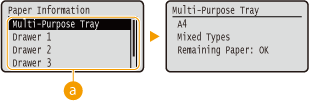
 Paper source selection
Select the paper source of which information is displayed.
Checking the Toner Cartridge Model
You can display the model number of the toner cartridge for the machine.
() <Consumables Info.> <Toner Cart. Model> Select the color 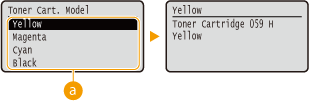
Color selection
Select the model number display color.
Checking the Toner Cartridge Status
Displays the toner cartridge status.
() <Consumables Info.> <Remaining Toner> 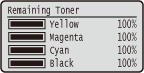
|
The displayed values can be used only as a guide and may differ from the actual status. |
Checking the Drum Cartridge Model
You can display the model number of the drum cartridge for the machine.
() <Consumables Info.> <Drum Cart. Model> Select the drum cartridge 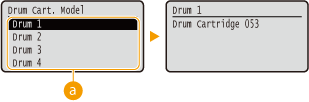
Drum cartridge selection
Select the drum cartridge whose model number you want to display.
Checking the Drum Cartridge Status
Displays the drum cartridge status.
() <Consumables Info.> <Remaining Drum Life> 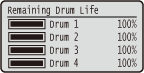
|
The displayed values can be used only as a guide and may differ from the actual status. |
Checking the Model Numbers of Waste Toner Container
Displays the model number of the waste toner used in the machine.
() <Consumables Info.> <Waste Toner cntnr.> 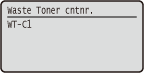
Checking the Status of Waste Toner Container
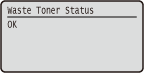
Displays the status of the waste toner container used in the machine.
() <Consumables Info.> <Waste Toner Status>