How to Replace Toner Cartridges
Read the precautions in Maintenance and Inspections and Consumables before replacing the toner cartridges.
1
Fully open the front cover.

2
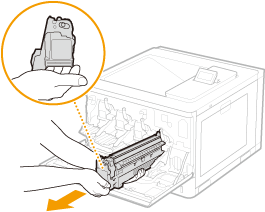
Pull out the toner cartridge.
3
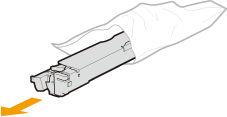
Remove the replacement toner cartridge from the packing materials.
4
Shake the toner cartridge five or six times as shown below to evenly distribute the toner inside the cartridge, and then place it on a flat surface.
De not remove the protective cover ( ) in this step.
) in this step.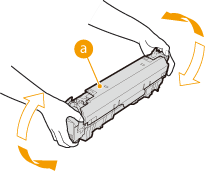
5
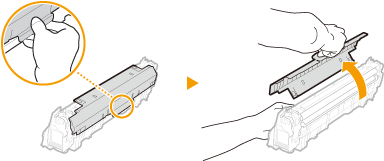
Remove the protective cover.
6
Install the toner cartridge.
Align the toner cartridge with the toner cartridge guide () while holding it in horizontal position, and then push it into the slot until it stops.
) while holding it in horizontal position, and then push it into the slot until it stops.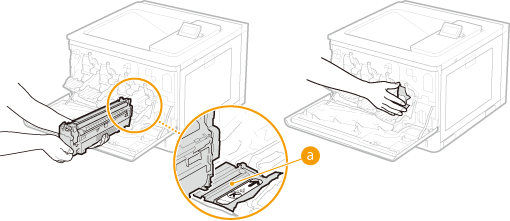

Be careful that you do not touch the gear ( ) or the feed section (
 ) or hit them against the mouth of the slot.
) or the feed section () or hit them against the mouth of the slot.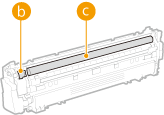
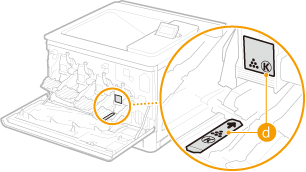
Place the toner cartridge into the slot marked with the appropriate color label ( ).
).
).
7
Close the front cover.