
Replacing the Toner Cartridges
When the replacement time for a toner cartridge is near, a message appears on the display. Note that the print quality becomes poor if you continue printing without taking any action. You can also check the toner cartridge status on the display.
When a Message Appear
Depending on which message is displayed, you will need to make sure that you have a replacement toner cartridge ready or replace the toner cartridge. How to Replace Toner Cartridges Consumables
|
"X" in the following message represents a CMYK color. |
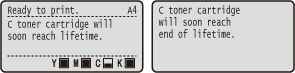
<X toner cartridge will soon reach lifetime.>
<X toner cartridge will soon reach end of lifetime.>
This message notifies you that the toner cartridge for the indicated color needs to be replaced soon. Make sure that you have a replacement toner cartridge ready. Replace the toner cartridge if you see this message before you start to print a large job.
|
When the <Ready to print.> message is not displayed, the printing is temporarily stopped. To resume the printing, press  ( ( ). ).Which message is to be displayed depends on the <Action When Warning> setting in the setting menu of the operation panel. Action When Warning You can set any value as the percentage of the amount remaining in the toner cartridge that triggers this message. Spec Tnr Chk Timing |
<Change X toner cartridge.>
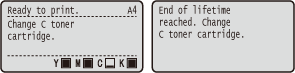
<End of lifetime reached. Change X toner cartridge.>
The toner cartridge for the indicated color has reached the end of its lifetime. It is recommended that you replace the toner cartridge with a new one.
 |
You can continue printing when this message is displayed, but the print quality may deteriorate. Receiving e-mail and fax documents will be disabled. Printing Received E-mail (E-Mail Print) |
|
When the <End of lifetime reached. Change X toner cartridge.> message is displayed, the printing is temporarily stopped. To resume the printing, press ().Which message is to be displayed depends on the <Action When Tnr. Out> setting in the setting menu of the operation panel. Action When Tnr. Out |
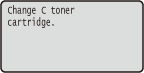
<Change X toner cartridge.>
The toner cartridge for the indicated color has reached the end of its lifetime. Replace the toner cartridge.
|
When this message is displayed, you cannot continue printing. |
|
Whether this message is displayed or not depends on the settings of <Action When Tnr. Out> in the Setting Menu of the operation panel. Action When Tnr. Out |
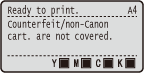
<Counterfeit/non-Canon cart. are not covered.>
This message notifies you that the machine may not print in optimum quality. It is recommended that you replace the toner cartridge with a new one.
|
You can continue printing when this message is displayed, but the print quality may deteriorate. Doing so may result in damage to the machine. |
<Counterfeit/non-Canon toner cart. may be in use.>
This message notifies you that the machine may not print in optimum quality. It is recommended that you replace the toner cartridge with a new one.
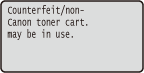
|
You can press () to continue printing, but the print quality may deteriorate. Doing so may result in damage to the machine. |
<Cannot print. Tnr. cart. may be non-Canon/counterfeit.>
This message notifies you that the machine may not print in optimum quality. It is recommended that you replace the toner cartridge with a new one.
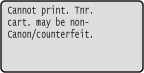
|
When this message is displayed, you cannot continue printing. Canon Genuine Mode |
<X toner comm. err. Cart. may be non-Canon/counterfeit.>
This message notifies you that the machine may not print in optimum quality. It is recommended that you replace the toner cartridge with a new one. How to Replace Toner Cartridges
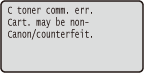
If Printouts are Poor in Quality
If your printouts begin to show any of the following features, one of your toner cartridges is consumed. Replace the nearly empty toner cartridge even if no message is displayed. How to Replace Toner Cartridges
Streaks Appear/Printing is Uneven | Partially faded | Uneven density | ||
 |  |  |
Afterimages appear in blank areas | White spots appear | Printouts Become Lightly Colored | ||
 |  |  |
Checking the Toner Cartridge Status
You can check the toner cartridge status on the main screen. It is recommended that you check the amount before you start to print a large job.
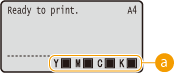
 Cartridge Status Indication
Displays the toner cartridge status. Depending on your environment, other internal parts may reach the end of their lifetime before the toner runs out.
|
The displayed toner cartridge status can be used only as a guide and may differ from the actual status. You can also check the toner cartridge status with <Remaining Toner> under <Consumables Info.>. Consumables Info. |