Checking Backup Results
You can check whether the backup is performed correctly.
The following methods are available.
Checking the Backup Results Using the Touch Panel Display of the Device
1.
Log in to the device as a user with administrator privileges.
2.
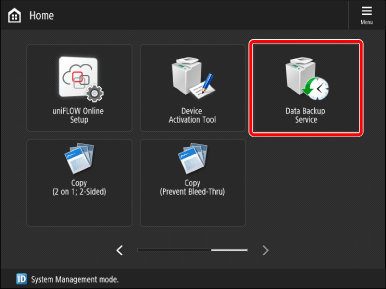
Press [Data Backup Service] on the <Home> screen.
3.
Check the latest backup result.
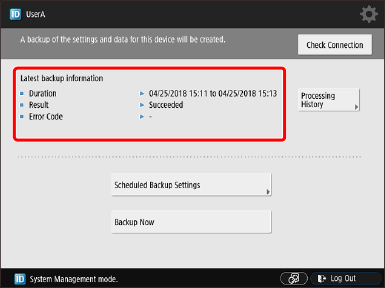
If you press [Processing History], you can check up to 20 past backup results.
Checking the Backup Results Using the Remote UI (When Operating from a Computer)
1.
Log in to the Remote UI of the device as a user with administrator privileges.
If communication with the Remote UI is encrypted, a warning message may be displayed. When there are no problems with the certificate and TLS settings, continue viewing the website.
2.
Click [Data Backup Service] on the portal page.
3.
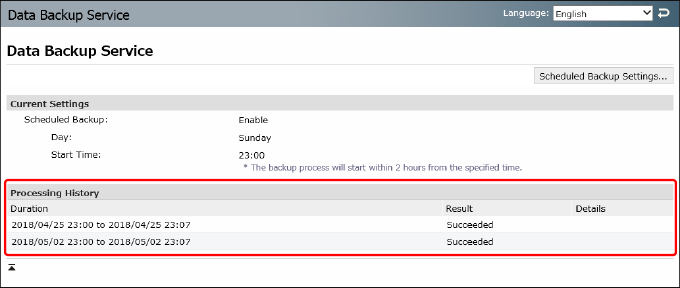
Check [Processing History].
You can check up to 20 past backup results.