About This Manual
System Requirements
The manual works with the following web browsers. Use the manual with the script functions and cookies activated in the web browser.
Windows
Microsoft Edge
Firefox
Firefox ESR
Chrome *
macOS
Safari
Firefox
Chrome *
Linux
Firefox
iOS
Safari *
Android
Chrome *
*Only when browsing the manual via the Internet.
Symbols Used in This Manual
The following symbols are used in this manual to explain procedures and restrictions.
 IMPORTANT
Indicates operational requirements and restrictions. Be sure to read these items carefully to operate the product correctly, and avoid damage to the product or property.
 NOTE
NOTEIndicates a clarification of an operation, or contains additional explanations for a procedure. Reading these notes is highly recommended.
Buttons Used in This Manual
The following button names are a few examples of how buttons to be pressed are represented in this manual:
Buttons on Computer Operation Screens: [Button Name]
Examples: [OK]
[Next]
NOTE |
The procedures in this manual assume that the [Start] menu display has not been customized after the Windows installation. |
Displays Used in This Manual
Screen shots of computer operation screens used in this manual may differ from the ones you actually see, depending on your environment.
The location of buttons selected/clicked during operations are enclosed with  . If multiple buttons to operate are displayed, they are all enclosed.
. If multiple buttons to operate are displayed, they are all enclosed.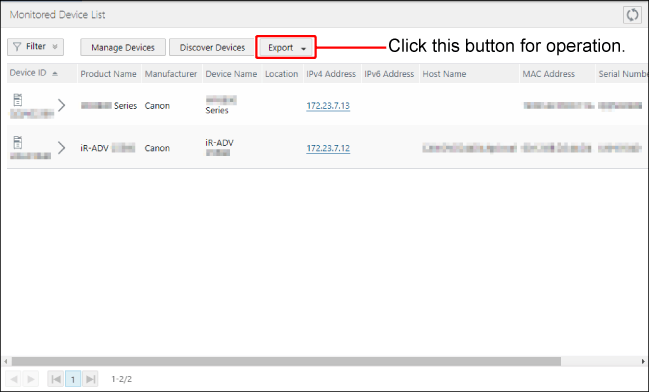
Abbreviations Used in This Document
This manual uses the following abbreviations.
Microsoft Windows Server 2016 operating system: Windows Server 2016
Microsoft Windows Server 2019 operating system: Windows Server 2019
Microsoft Windows 10 operating system: Windows 10
Microsoft Windows operating system: Windows
Microsoft .NET Framework: .NET Framework
Microsoft Windows Internet Explorer: Internet Explorer
Microsoft Edge: Edge
Google Chrome: Chrome
Mozilla Firefox: Firefox
Canon Data Collection Agent: Data Collection Agent
Canon imageWARE Enterprise Management Console: Enterprise Management Console
Canon imageWARE Enterprise Management Console RDS Plug-In: RDS Plug-in
Terms Used in This Document
The term "this software" refers to Data Collection Agent.
The term "device" refers to multi functional peripherals and printers.
The term "monitored device" refers to a device managed by this software as the target for sending device information to the Remote Monitoring Server.
The term "Windows client OS" refers to Windows 10.
The term "Windows server OS" refers to Windows Server 2016/Server 2019.