Adjusting the Print Density
If print results are too dark or too faint, adjust the print density.

Use the control panel to perform adjustment. You cannot perform adjustment using Remote UI from a computer.
1
On the control panel, select [Menu] in the [Home] screen, and press  . [Home] Screen
. [Home] Screen2
Press [Adjustment/Maintenance]  [Adjust Image Quality] [Printer Density] .
[Adjust Image Quality] [Printer Density] .3
Adjust the density.
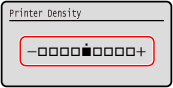
Specify [+] to increase the density and [-] to reduce it.
4
Press .
.