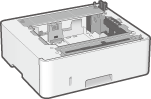
When frequently using paper of varying sizes or types or when loading large quantities of paper at a time, install the optional Cassette Feeding Module-AH. This option reduces the work of loading paper.
For how to install the Cassette Feeding Module-AH to the machine or for the specifications of it, see the following:
Cassette Feeding Module-AH
How to Install
1
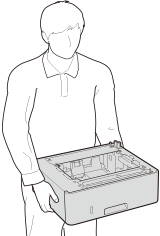
Place the Cassette Feeding Module-AH where you want to use the machine.
2
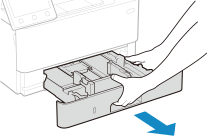
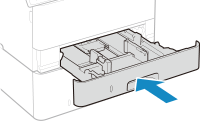
Pull out the paper drawer.
3
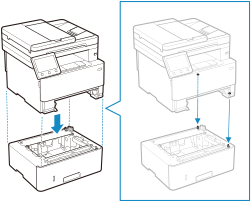
Put the machine slowly on the Cassette Feeding Module-AH.
4
Insert the paper drawer into the machine.
5
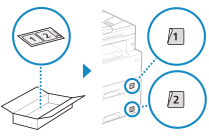
Place the accompanying sticker on the paper drawer.
Specifications
Paper size | Maximum: 216.0 mm x 355.6 mm Minimum: 105.0 mm x 148.0 mm |
Paper basis weight | 60 g/m² to 120 g/m² |
Number of paper sources and paper capacity*1 | Paper drawer x 1 550 sheets (80 g/m²), 640 sheets (64 g/m²) |
Dimensions (W x D x H) | 399 mm x 356 mm x 131 mm (when attached to the machine) |
Weight | Approx. 3.8 kg |
*1 Varies depending on the installation environment and paper to be used.