
Replacing the Toner Cartridge
When toner starts running low or has run out, a message is displayed prompting you to prepare a new toner cartridge or perform toner cartridge replacement. Prepare a new toner cartridge or perform toner cartridge replacement according to the displayed message.
Cautions When Replacing the Toner Cartridge
|
Do not touch the contacts (  ) inside the machine. Doing so may result in damage to the machine. ) inside the machine. Doing so may result in damage to the machine.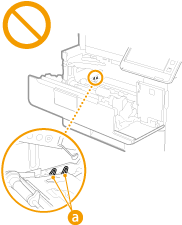 |
 |
Do not replace toner cartridges until the message prompting you to do so appears. Be sure to hold the toner cartridge using the handle. 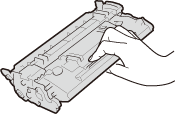 Do not touch the toner cartridge memory ( ), the electrical contacts ( ) or the dram ( ) or the dram ( ). ).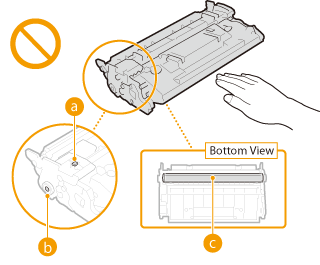 |
 |
For details about each message, see Countermeasures for Each Message. For information on the product numbers for toner cartridges, see Consumables. You can check the current amount of toner remaining. Checking the Remaining Toner Level |
Procedure for Replacing the Toner Cartridge
When replacing toner cartridges, follow the instructions shown in the video along with those written below.
1
Open the front cover.
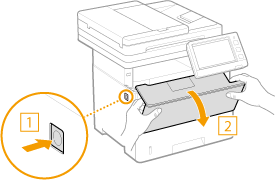
2
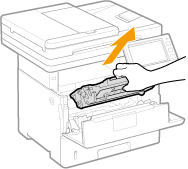
Pull out the toner cartridge.
3
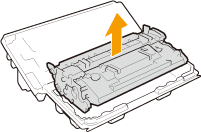
Remove the replacement toner cartridge from the protective case.
4
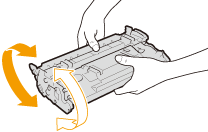
Shake the toner cartridge five or six times as shown below to evenly distribute the toner inside the cartridge.
5
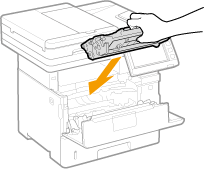
Install the toner cartridge.
Fully push it in until it cannot go any further.
6
Close the front cover.