Scanning
PMW-SCIG
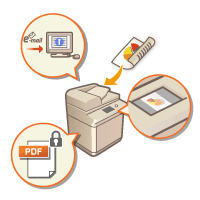
Scanning paper originals enables you to convert them into electronic files, such as PDF, commonly supported by a computer. Converted files can be sent as e-mail attachments from the machine, or saved in a file server. This chapter describes a variety of useful functions for easy scanning as well as basic operations.
Introduction to Basic Operations
This section describes the Scan Basic Features screen and the basic sending/saving methods.
To scan and send originals, you can either send with the Easy Scan function or configure the detailed settings when sending.
With Easy Scan, you can configure basic functions such as the specified destinations and color settings by performing simple button operations.
With Easy Scan, you can configure basic functions such as the specified destinations and color settings by performing simple button operations.
* You cannot check or edit scanned data when you use Easy Scan. When you use Easy Scan, the settings that can be configured are different.
Scanning Clearly
This section describes the methods to solve problems such as blurry photographs, illegible text due to dark paper, and the appearance of dark borders.
Scanning Various Types of Originals
You can efficiently scan originals with many pages and originals made up of multiple documents.
Efficiently, Reliably, Safely
This section describes a variety of functions useful for increasing working efficiency, avoiding operation errors, and enhancing security.
Scanning Using a Computer
If you are editing a scanned document in a computer, save directly into the computer for convenience.