Canceling Copy Operations
Follow the instructions on screen to cancel a copy operation.
Press [<Cancel>] 
 [<Yes>] .
[<Yes>] .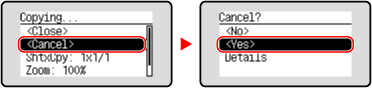
If the above screen is not displayed, on the control panel, press  [Yes] .
[Yes] .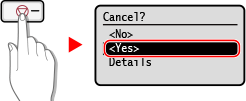
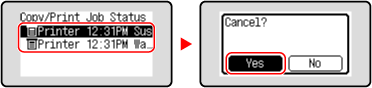
If the job list screen is displayed, select the job to cancel, and press [Yes] .
[Yes] .