Checking the Options Attached to the Machine
You can check the names of the optional equipment attached to the machine and the optional functions.
You can also check the version information of the firmware.
You can also check the version information of the firmware.
This section describes how to check the information using the control panel.
You can check the information using Remote UI from a computer. Checking the Usage and Logs Using Remote UI
You can check the information using Remote UI from a computer. Checking the Usage and Logs Using Remote UI
1
Press the [Counter/Device Information] key on the control panel. Control Panel
The [Counter/Device Information] screen is displayed.
2
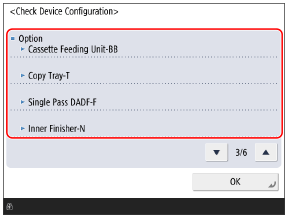
Press [Device Info./Other]  [Check Device Configuration].
[Check Device Configuration].The [Check Device Configuration] screen is displayed.
3
Check the optional information and version information of the machine.
Some functions may be displayed as options even if they are standard in the machine.