Setting Device Information
This explains the procedure for configuring the information and functions of the device to use, in order to make the exclusive functions of the device available.
Prerequisites
Settings at the device
If the device is connected by specifying a standard TCP/IP port, [Retrieve Printer Mngt. Information from Host] is already set to on.
For details, refer to the manual of the device.
Procedures
1.
Display the main screen of this app.
Select [Canon Print Assistant] from the Start menu.
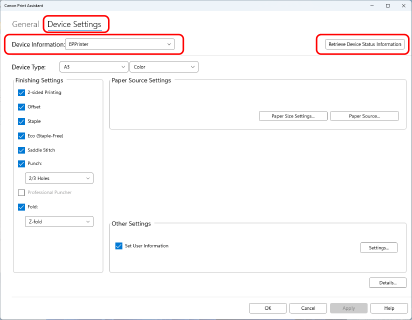
Display the [Device Settings] sheet → select the device to use in [Device Information] → click [Retrieve Device Status Information].
3.
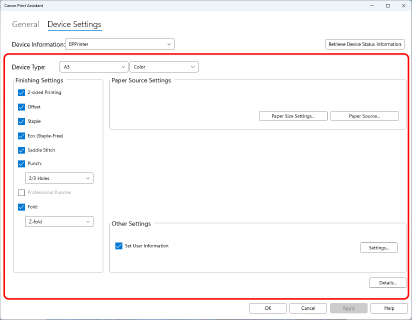
Configure the information and functions of the device to use.
If the device information cannot be retrieved in step 2., select the type of device to use in [Device Type] first.
4.
Click [OK].