Setting the Machine Using WPS (Push Button Mode)
Press the WPS button on your wireless LAN routers and/or access points for connection.
1
Switch the connection method to wireless LAN.
2
Press [ ] (Menu).
] (Menu).3
Press [ ] or [
 ] to highlight <Network Settings>, and then press [OK].
] or [] to highlight <Network Settings>, and then press [OK].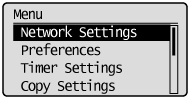
If a System Manager PIN is specified:
Use the numeric keys to enter the System Manager PIN, and then press [OK].
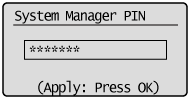
4
Press [] or [] to highlight <Wireless LAN Settings>, and then press [OK].
] or [] to highlight <Wireless LAN Settings>, and then press [OK].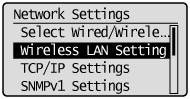
5
Press [OK].
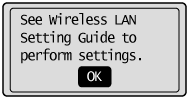
Press [] or [] to highlight <WPS Push Button Mode>, and then press [OK].
] or [] to highlight <WPS Push Button Mode>, and then press [OK].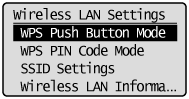
7
Press [ ] to highlight <Yes>, and then press [OK].
] to highlight <Yes>, and then press [OK].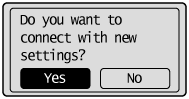
8
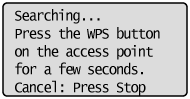
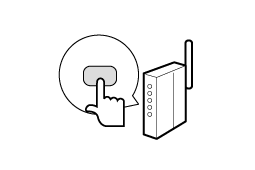
Within 2 minutes, press and hold the WPS button on the wireless LAN router and/or access point.
 |
The amount of time you must hold down the WPS button will depend on the model you are using. Please refer to the instruction manual for your wireless LAN routers and/or access points.
|
|
|
If <Cannot find access point.> appears, press [OK] to close the screen, and follow the procedure from step 6 again.
|
  |
 |
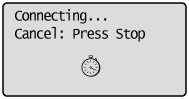 |
9
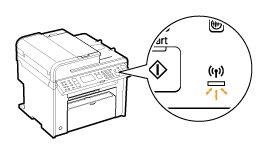
Make sure the Wi-Fi indicator blinks.
When the wireless LAN router or access point is detected, the Wi-Fi indicator blinks.
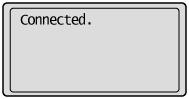
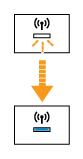
The next screen is displayed for approximately 2 seconds, and then the Wi-Fi indicator lights.

|
|
When the message appears, press [OK] to close the screen and start the procedure again from step 6.
If you cannot detect the access point after retrying, see the following:
|
10
Wait until the machine sets the IP address automatically (approx. 2 min).
If you want to set the IP address manually, see the following.