2 on 1/4 on 1
You can reduce multiple documents to copy them onto one sheet.
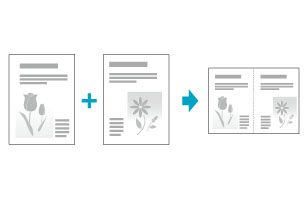
<2 on 1>Reduce two-page documents to fit on one sheet of paper.
 |
|
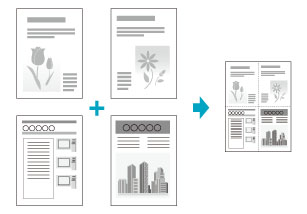
<4 on 1>Reduce four-page documents to fit on one sheet of paper.
 |
 |
Select <Select Layout> to change layout of the copy.
|
1
Place documents.
2
Display the Copy mode screen.
Press [ ] (COPY/SCAN) to switch to the Copy mode screen.
] (COPY/SCAN) to switch to the Copy mode screen.3
Press [ ] or [
 ] to highlight <N on 1: Off>, and then press [OK].
] or [] to highlight <N on 1: Off>, and then press [OK].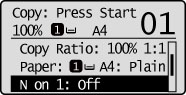
4
Press [] or [] to highlight <2 on 1> or <4 on 1>, and then press [OK].
] or [] to highlight <2 on 1> or <4 on 1>, and then press [OK].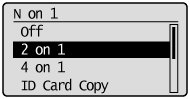
To specify the layout:
|
(1)
|
Press [
] or [] to highlight <Select Layout>, and then press [OK].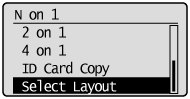 |
|
(2)
|
Press [
] or [] to highlight the layout, and then press [OK].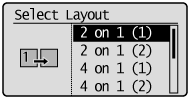 |
|
NOTE
|
Margins among documents:When you copy in an N on 1 layout, margins are created among the reduced documents.
|
5
Press [] or [] to highlight the size of the original document, and then press [OK].
] or [] to highlight the size of the original document, and then press [OK].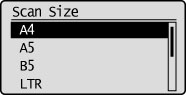
6
Press [] or [] to highlight the size of the output document, and then press [OK].
] or [] to highlight the size of the output document, and then press [OK].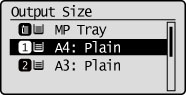
7
Press [ ] (Start).
] (Start).When your document is placed on the platen glass:
|
(1)
|
Set the next document and press [
] (Start).
|
||
|
(2)
|
Press [
] or [] to highlight <Finish Scanning>, and then press [OK].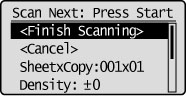 |