Basic Copy Operations
1
Place documents.
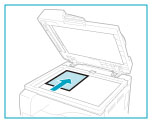
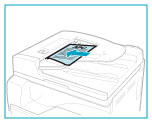
For the imageRUNNER 2202N/2002N:
Up to 50 documents can be loaded into the feeder.
|
NOTE
|
|
The optional feeder (DADF-AM1) can only be attached to the imageRUNNER 2202N/2002N.
|
2
Display the Copy mode screen.
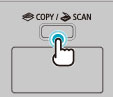
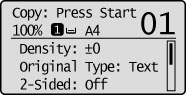
The Copy mode screen appears.
3
Specify the copy settings as needed.
|
NOTE
|
Copy Settings:The settings specified here are effective only for the current operation. To make the settings effective for all the copy operations, see "Changing the Default Settings."
|
4
Enter the required number of copies.
For the imageRUNNER 2202N/2002N:
Enter the copy quantity (1 to 99) using numeric keys.
 |
Press [
 ] (Clear) to cancel the entered quantity. ] (Clear) to cancel the entered quantity. |
For the imageRUNNER 2002:
Press [ ] or [
 ] to highlight <Number of Copies>, and then press [OK].
] or [] to highlight <Number of Copies>, and then press [OK].Press [] or [] to enter the required number of copies (1 to 99).
] or [] to enter the required number of copies (1 to 99).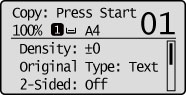
5
Press [ ] (Start).
] (Start).Copying starts.
 If <Scan Size> appears: If <Scan Size> appears:Press [
] or [] to highlight the size of the original document, and then press [OK]. If <Size/Settings Mismatch> appears:Change the <Paper Settings> menu properly or load the paper size specified in the <Paper Settings> menu.
|
|
If <The memory is full. Scanning will be canceled. Print?> appears: Either print all pages that were successfully scanned or cancel the job.
|
|
IMPORTANT
|
To copy a document without margins:The image may be partially cut off on the output. For more information on the scanning area, see "Scan Area."
|