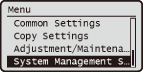
System Management Settings
 |
|
All the settings about System Management Settings are listed with short descriptions. Default settings are marked with a dagger (
 ). ). |
|
NOTE
|
Asterisks (*)Settings marked with an asterisk (*) have different settings depending on the country or region of purchase.
|
Select Country/Region *
Specify the country or region where the machine is used. The default setting may vary depending on the setting selected at initial power-on.
|
United States (US)
Canada (CA)
Brazil (BR)
Mexico (MX)
Argentina (AR)
Other
|

 <System Management Settings>
  <Select Country/Region> Select a country or region
 Display Job Log
Select whether to display the copying and printing logs on the display of the machine.
|
Off
On
|
<System Management Settings> <Display Job Log> Select <Off> or <On> Restart the machineUpdate Firmware
Install the firmware update using a computer via a USB cable.
Initialize Menu
Select to restore the settings listed below to the factory defaults. You can restore all the settings listed below at once, or you can restore individual settings separately. Initializing Menu Initializing System Management Settings
|
Preferences
Timer Settings
Common Settings
Copy Settings
System Management Settings
Display Job Log
Initialize All
|