
Rete
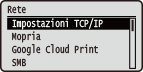 |
Tutte le impostazioni di rete sono elencate con una breve descrizione. Le impostazioni predefinite sono contrassegnate con una croce (
 ). ). |
|
|
Se non viene visualizzato <Rete>Se <Rete> sotto <Selez. interfaccia> è impostata su <Disattivato>, <Rete> non appare nel menu Imposta. Selez. interfaccia
Asterischi (*)Le impostazioni contrassegnate da un asterisco (*) non vengono visualizzate in base ad altre impostazioni o in base all'eventuale installazione di una scheda SD opzionale sulla macchina.
|
|
|
Impostazioni TCP/IP
Specificare le impostazioni per l'uso della macchina in una rete TCP/IP, ad esempio le impostazioni dell'indirizzo IP.
Impostazioni IPv4
Specificare le impostazioni per utilizzare la macchina in una rete IPv4.
IPv4
Abilitare o disabilitare IPv4 nella macchina.
|
Disattivato
Attivato
|
 (
( )
)  <Rete>
  Leggere il messaggio <Impostazioni TCP/IP> <Impostazioni IPv4> <IPv4> <Disattivato> o <Attivato> Eseguire un hard reset (Esecuzione di un hard reset )
Modalità IP
Selezionare come impostare l'indirizzo IP. Impostazione indirizzi IPv4
|
Auto
Manuale
|
Protocollo *
Selezionare il protocollo da usare quando <Modalità IP> è impostata su <Auto>. Impostando il protocollo selezionato su <Attivato>, gli altri due protocolli vengono automaticamente impostati su <Disattivato>. Impostazione indirizzi IPv4
Utilizzo DHCP
|
Disattivato
Attivato |
Utilizzo BOOTP
|
Disattivato
Attivato |
Utilizzo RARP
|
Disattivato
Attivato |
IP automatico *
Selezionare se ottenere automaticamente un indirizzo IP. Specificare <Attivato> quando <Modalità IP> è impostata su <Auto>. Impostazione indirizzi IPv4
|
Disattivato
Attivato |
Imp. indirizzo IP
Configurare l'indirizzo IP, utilizzato per identificare i dispositivi, come computer e stampanti, su una rete TCP/IP. Impostazione indirizzi IPv4
Indirizzo IP
|
Da 0.0.0.0
a 255.255.255.255 |
Subnet mask
|
Da 0.0.0.0
a 255.255.255.255 |
Indirizzo gateway
|
Da 0.0.0.0
a 255.255.255.255 |
DNS
Specificare le impostazioni per il DNS (Domain Name System), che fornisce il nome host per risoluzioni dell'indirizzo IP. Usare  /
/ per spostare il cursore e usare i tasti numerici per specificare l'indirizzo. Usare l'IU remota per specificare le altre impostazioni per il DNS. Configurazione DNS
/ per spostare il cursore e usare i tasti numerici per specificare l'indirizzo. Usare l'IU remota per specificare le altre impostazioni per il DNS. Configurazione DNSIndirizzo primario
|
Da 0.0.0.0
a 255.255.255.255 |
Indirizzo secondario
|
Da 0.0.0.0
a 255.255.255.255 |
() <Rete> Leggere il messaggio <Impostazioni TCP/IP> <Impostazioni IPv4> <DNS> Selezionare il server da configurare Impostare l'indirizzo Eseguire un hard reset (Esecuzione di un hard reset )Impostazioni mDNS *
Specificare le impostazioni per l'uso delle funzioni DNS senza server DNS. Configurazione DNS
mDNS
|
Disattivato
Attivato
|
() <Rete> Leggere il messaggio <Impostazioni TCP/IP> <Impostazioni IPv4> <Impostazioni mDNS> <mDNS>  <Disattivato> o <Attivato> Eseguire un hard reset (Esecuzione di un hard reset )
Nome mDNS *
Quando <mDNS> è impostato su <Attivato>, configurare questa voce.
() <Rete> Leggere il messaggio <Impostazioni TCP/IP> <Impostazioni IPv4> <Impostazioni mDNS> <Nome mDNS> Impostare il nome Eseguire un hard reset (Esecuzione di un hard reset )Opzione DHCP
Quando l'opzione DHCP è abilitata, selezionare se acquisire il nome host e se eseguire l'aggiornamento dinamico del DNS usando le opzioni DHCP.
Acquisisci nome host
|
Disattivato
Attivato
|
Agg. dinamico DNS
|
Disattivato
Attivato
|
() <Rete> Leggere il messaggio <Impostazioni TCP/IP> <Impostazioni IPv4> <Opzione DHCP> <Acquisisci nome host> o <Agg. dinamico DNS> <Disattivato> o <Attivato> Eseguire un hard reset (Esecuzione di un hard reset )Impostazioni IPv6
Selezionare se usare la macchina in una rete IPv6. Usare l'IU remota per specificare le impostazioni dell'indirizzo IPv6. Impostazione indirizzi IPv6
IPv6
Abilitare o disabilitare IPv6 nella macchina.
|
Disattivato
Attivato
|
() <Rete> Leggere il messaggio <Impostazioni TCP/IP> <Impostazioni IPv6> <IPv6> <Disattivato> o <Attivato> Eseguire un hard reset (Esecuzione di un hard reset )Impostazioni mDNS *
Specificare le impostazioni per l'uso delle funzioni DNS senza server DNS. Configurazione DNS
mDNS
|
Disattivato
Attivato
|
() <Rete> Leggere il messaggio <Impostazioni TCP/IP> <Impostazioni IPv6> <Impostazioni mDNS> <mDNS> <Disattivato> o <Attivato> Eseguire un hard reset (Esecuzione di un hard reset )Usa nome IPv4 (mDNS) *
|
Disattivato
Attivato
|
() <Rete> Leggere il messaggio <Impostazioni TCP/IP> <Impostazioni IPv6> <Impostazioni mDNS> <Usa nome IPv4 (mDNS)> <Disattivato> o <Attivato> Eseguire un hard reset (Esecuzione di un hard reset )Nome mDNS *
Quando <Usa nome IPv4 (mDNS)> è impostato su <Disattivato>, configurare questa voce.
() <Rete> Leggere il messaggio <Impostazioni TCP/IP> <Impostazioni IPv6> <Impostazioni mDNS> <Nome mDNS> Impostare il nome Eseguire un hard reset (Esecuzione di un hard reset )Risoluzione WINS
Selezionare se usare Windows Internet Name Service (WINS), che fornisce un nome NetBIOS per risoluzioni dell'indirizzo IP in un ambiente di rete misto di NetBIOS e TCP/IP. Utilizzare la IU remota per specificare le impostazioni dettagliate applicate quando è abilitato WINS. Configurazione WINS
|
Disattivato
Attivato
|
() <Rete> Leggere il messaggio <Impostazioni TCP/IP> <Risoluzione WINS> <Disattivato> o <Attivato> Eseguire un hard reset (Esecuzione di un hard reset )FTP
Selezionare se modificare le impostazioni per la stampa e quelle configurate nella macchina da FTP.
Stampa FTP
Selezionare se stampare da FTP. Usare la IU remota per impostare il nome utente e la password usati per stampare da FTP. Preparazione all'uso del server FTP
|
Disattivato
Attivato
|
() <Rete> Leggere il messaggio <Impostazioni TCP/IP> <FTP> <Stampa FTP> <Disattivato> o <Attivato> Eseguire un hard reset (Esecuzione di un hard reset )Cons. imp. via FTP
Selezionare se modificare da FTP le impostazioni configurate nella macchina.
|
Disattivato
Attivato
|
() <Rete> Leggere il messaggio <Impostazioni TCP/IP> <FTP> <Cons. imp. via FTP> <Disattivato> o <Attivato> Eseguire un hard reset (Esecuzione di un hard reset )Impostazioni LPD
Abilitare o disabilitare LPD, un protocollo di stampa utilizzabile su qualsiasi piattaforma hardware o sistema operativo. Impostare anche il periodo di tempo dopo il quale il processo di stampa termina automaticamente quando i dati di stampa non possono essere ricevuti a causa di un errore di comunicazione o qualche altro problema. Utilizzare l'interfaccia utente remota per specificare le impostazioni per la stampa di pagine banner quando LPD è abilitato. Configurazione dei protocolli di stampa e delle funzioni WSD
Stampa LPD
|
Disattivato
Attivato
|
() <Rete> Leggere il messaggio <Impostazioni TCP/IP> <Impostazioni LPD> <Stampa LPD> <Disattivato> o <Attivato> Eseguire un hard reset (Esecuzione di un hard reset )Timeout RX *
|
Da 1 a 60
(min.) |
() <Rete> Leggere il messaggio <Impostazioni TCP/IP> <Impostazioni LPD> <Timeout RX> Impostare Timeout Eseguire un hard reset (Esecuzione di un hard reset )Impostazioni RAW
Abilitare o disabilitare RAW, un protocollo di stampa specifico di Windows. Impostare anche il periodo di tempo dopo il quale il processo di stampa termina automaticamente quando i dati di stampa non possono essere ricevuti a causa di un errore di comunicazione o qualche altro problema. Utilizzare l'interfaccia utente remota per specificare le impostazioni per la comunicazione bidirezionale. Configurazione dei protocolli di stampa e delle funzioni WSD
Stampa RAW
|
Disattivato
Attivato
|
() <Rete> Leggere il messaggio <Impostazioni TCP/IP> <Impostazioni RAW> <Stampa RAW> <Disattivato> o <Attivato> Eseguire un hard reset (Esecuzione di un hard reset )Timeout RX *
|
Da 1 a 60
(min.) |
() <Rete> Leggere il messaggio <Impostazioni TCP/IP> <Impostazioni RAW> <Timeout RX> Impostare Timeout Eseguire un hard reset (Esecuzione di un hard reset )Stampa IPP
Abilitare o disabilitare IPP, che consente la stampa da una rete esterna via Internet. Usare la IU remota per specificare le impostazioni per la crittografia TLS dei dati da inviare e l'autenticazione utente. Configurazione dei protocolli di stampa e delle funzioni WSD
|
Disattivato
Attivato
|
() <Rete> Leggere il messaggio <Impostazioni TCP/IP> <Stampa IPP> <Disattivato> o <Attivato> Eseguire un hard reset (Esecuzione di un hard reset )WSD
Abilitare o disabilitare la navigazione automatica e l'acquisizione di informazioni per la macchina utilizzando il protocollo WSD, disponibile su Windows Vista/7/8/10/Server 2008/Server 2012. Configurazione dei protocolli di stampa e delle funzioni WSD
Stampa WSD
Selezionare se stampare con la macchina usando WSD.
|
Disattivato
Attivato
|
() <Rete> Leggere il messaggio <Impostazioni TCP/IP> <WSD> <Stampa WSD> <Disattivato> o <Attivato> Eseguire un hard reset (Esecuzione di un hard reset )Navigazione WSD *
Selezionare se acquisire le informazioni della macchina da un computer utilizzando WSD. Impostando <Stampa WSD> su <Attivato>, l'opzione <Navigazione WSD> viene bloccata su <Attivato> e non appare nel menu delle impostazioni.
|
Disattivato
Attivato
|
() <Rete> Leggere il messaggio <Impostazioni TCP/IP> <WSD> <Navigazione WSD> <Disattivato> o <Attivato> Eseguire un hard reset (Esecuzione di un hard reset )Discovery multicast
Selezionare se impostare la macchina in modo che risponda ai messaggi di rilevamento multicast.
|
Disattivato
Attivato
|
() <Rete> Leggere il messaggio <Impostazioni TCP/IP> <WSD> <Discovery multicast> <Disattivato> o <Attivato> Eseguire un hard reset (Esecuzione di un hard reset )|
|
|
Impostando <Discovery multicast> su <Disattivato>, la macchina rimane in modalità riposo anche se sulla rete è presente un flusso di messaggi di rilevamento multicast.
|
HTTP
Abilitare o disabilitare HTTP. HTTP è richiesto per le comunicazioni con un computer, ad esempio quando si utilizza la IU remota e si esegue la stampa WSD. Disabilitazione della comunicazione HTTP
|
Disattivato
Attivato
|
Impostazioni Proxy
Specificare le impostazioni per usare il server proxy che trasmette le comunicazioni HTTP. Impostazione di un proxy
Proxy
Abilitare o disabilitare il server proxy quando la macchina esegue comunicazioni HTTP.
|
Disattivato
Attivato
|
() <Rete> Leggere il messaggio <Impostazioni TCP/IP> <Impostazioni Proxy> <Proxy> <Disattivato> o <Attivato> Eseguire un hard reset (Esecuzione di un hard reset )Indirizzo server *
Impostare l'indirizzo del server proxy da usare. Specificare l'indirizzo IP, il nome di dominio e le altre informazioni necessarie adatte al proprio ambiente operativo. Usare / per spostare il cursore e usare i tasti numerici per digitare l'indirizzo (Immissione di testo).
/ per spostare il cursore e usare i tasti numerici per digitare l'indirizzo (Immissione di testo). () <Rete> Leggere il messaggio <Impostazioni TCP/IP> <Impostazioni Proxy> <Indirizzo server> Digitare l'indirizzo del server Eseguire un hard reset (Esecuzione di un hard reset )Numero porta *
Specificare il numero di porta del server proxy da usare.
|
Da 1 a 80
a 65535 |
() <Rete> Leggere il messaggio <Impostazioni TCP/IP> <Impostazioni Proxy> <Numero porta> Digitare il numero di porta Eseguire un hard reset (Esecuzione di un hard reset )Stesso dominio *
Abilitare o disabilitare il server proxy anche per l'esecuzione delle comunicazioni HTTP con dispositivi nello stesso dominio.
|
Utilizzo Proxy
Non usare proxy
|
() <Rete> Leggere il messaggio <Impostazioni TCP/IP> <Impostazioni Proxy> <Stesso dominio> <Utilizzo Proxy> o <Non usare proxy> Eseguire un hard reset (Esecuzione di un hard reset )Autenticazione proxy *
Abilitare o disabilitare la funzione di autenticazione del server proxy.
|
Disattivato
Attivato
|
() <Rete> Leggere il messaggio <Impostazioni TCP/IP> <Impostazioni Proxy> <Autenticazione proxy> <Disattivato> o <Attivato> Eseguire un hard reset (Esecuzione di un hard reset )Nome utente *
Per abilitare l'autenticazione proxy, digitare fino a 24 caratteri alfanumerici per il nome utente da autenticare. Usare i tasti numerici per digitare il nome utente. (Immissione di testo)
() <Rete> Leggere il messaggio <Impostazioni TCP/IP> <Impostazioni Proxy> <Nome utente> Digitare il nome utente Eseguire un hard reset (Esecuzione di un hard reset )Password *
Per impostare la password per l'autenticazione proxy, digitare fino a 24 caratteri alfanumerici. Usare i tasti numerici per digitare la password. (Immissione di testo)
() <Rete> Leggere il messaggio <Impostazioni TCP/IP> <Impostazioni Proxy> <Password> Digitare la password Eseguire un hard reset (Esecuzione di un hard reset )SNTP
Selezionare se acquisire l'ora da un server di riferimento orario in rete. Usare la IU remota per specificare le impostazioni dell'indirizzo del server. Configurazione SNTP
|
Disattivato
Attivato
|
() <Rete> Leggere il messaggio <Impostazioni TCP/IP> <SNTP> <Disattivato> o <Attivato> Eseguire un hard reset (Esecuzione di un hard reset )Risposta a Discovery
Selezionare se impostare la macchina in modo che risponda ai pacchetti di rilevamento multicast in rete. Usare la IU remota per specificare il nome dell'ambito che viene usato per includere la macchina in un ambito specifico. Configurazione delle impostazioni per il software di gestione dei dispositivi
|
Disattivato
Attivato
|
() <Rete> Leggere il messaggio <Impostazioni TCP/IP> <Risposta a Discovery> <Disattivato> o <Attivato> Eseguire un hard reset (Esecuzione di un hard reset )IPSec
Selezionare se eseguire la comunicazione crittografata stabilendo una rete privata virtuale (VPN) via IPSec. Usare la IU remota per registrare e specificare i criteri di protezione. Configurazione delle impostazioni IPSec
|
Disattivato
Attivato
|
() <Rete> Leggere il messaggio <Impostazioni TCP/IP> <IPSec> <Disattivato> o <Attivato> Eseguire un hard reset (Esecuzione di un hard reset )Imp.notif. riposo
Specificare le impostazioni per la comunicazione SLP per informare imageWARE dello stato alimentazione della macchina. Impostando <Notif. modal. riposo> su <Attivato>, la macchina eviterà comunicazioni non necessarie nella modalità riposo e ridurrà il consumo totale di energia. Configurazione delle impostazioni per il software di gestione dei dispositivi
Notif. modal. riposo
Abilita o disabilita la comunicazione SLP. Selezionando <Attivato>, lo stato di alimentazione della macchina viene comunicato a imageWARE.
|
Disattivato
Attivato
|
() <Rete> Leggere il messaggio <Impostazioni TCP/IP> <Imp.notif. riposo> <Notif. modal. riposo> <Disattivato> o <Attivato> Eseguire un hard reset (Esecuzione di un hard reset )Numero porta *
Digitare il numero di porta per le comunicazioni SLP con il software di gestione.
|
Da 1 a 11427
a 65535 |
() <Rete> Leggere il messaggio <Impostazioni TCP/IP> <Imp.notif. riposo> <Numero porta> Usare i tasti numerici per digitare il numero di porta Eseguire un hard reset (Esecuzione di un hard reset )Router da attravers. *
Specificare il numero di router che i pacchetti di notifica possono attraversare. Immettere un numero compreso tra 0 e 254.
|
Da 0 a 3
a 254 |
() <Rete> Leggere il messaggio <Impostazioni TCP/IP> <Imp.notif. riposo> <Router da attravers.> Usare i tasti numerici per digitare il numero di router da attraversare Eseguire un hard reset (Esecuzione di un hard reset )Intervallo notifica *
Specificare la frequenza delle notifiche relative allo stato alimentazione a imageWARE da parte della macchina. Immettere un numero in secondi da 60 a 65535.
|
Da 60 a 600
a 65535 |
() <Rete> Leggere il messaggio <Impostazioni TCP/IP> <Imp.notif. riposo> <Intervallo notifica> Usare i tasti numerici per digitare l'intervallo di notifica Eseguire un hard reset (Esecuzione di un hard reset )Mopria
Specificare se si vuole usare Mopria®. Stampa con Mopria®
|
Disattivato
Attivato
|
() <Rete> Leggere il messaggio <Mopria> <Disattivato> o <Attivato> Eseguire un hard reset (Esecuzione di un hard reset )Google Cloud Print
Abilitare o disabilitare Google Cloud Print. Modifica delle impostazioni di Google Cloud Print
|
Utilizz. Cloud Print
Disattivato
Attivato
Stato registrazione
|
SMB *
Selezionare se usare la macchina come stampante condivisa sulla rete SMB. Usare l'IU remota per specificare le altre impostazioni SMB, inclusi il nome del server e il nome del gruppo di lavoro. Configurazione SMB
Server SMB
Selezionare se visualizzare la macchina come server SMB nella schermata di configurazione della rete SMB.
|
Disattivato
Attivato
|
() <Rete> Leggere il messaggio <SMB> <Server SMB> <Disattivato> o <Attivato> Eseguire un hard reset (Esecuzione di un hard reset )Stampa SMB *
Abilitare o disabilitare Stampa SMB.
|
Disattivato
Attivato
|
() <Rete> Leggere il messaggio <SMB> <Stampa SMB> <Disattivato> o <Attivato> Eseguire un hard reset (Esecuzione di un hard reset )Impostazioni SNMP
Specificare le impostazioni per monitorare e controllare la macchina da un computer con software SNMP compatibile. Monitoraggio e controllo della macchina attraverso SNMP
Impostaz. SNMP v. 1
Specificare le impostazioni per usare SNMPv1. Usare la IU remota per specificare un nome di community e privilegi di accesso per gli oggetti Management Information Base (MIB).
SNMPv1
Abilitare o disabilitare SNMPv1.
|
Disattivato
Attivato
|
() <Rete> Leggere il messaggio <Impostazioni SNMP> <Impostaz. SNMP v. 1> <SNMPv1> <Disattivato> o <Attivato> Eseguire un hard reset (Esecuzione di un hard reset )Imp. community ded.
La community dedicata è una community preimpostata, intesa esclusivamente per amministratori che utilizzano software Canon come imageWARE Enterprise Management Console. Selezionare il privilegio di accesso per gli oggetti Management Information Base (MIB).
Community dedicata
|
Disattivato
Lettura/Scrittura
Sola lettura
|
() <Rete> Leggere il messaggio <Impostazioni SNMP> <Impostaz. SNMP v. 1> <Imp. community ded.> <Community dedicata> Selezionare il privilegio di accesso Eseguire un hard reset (Esecuzione di un hard reset )Impost. SNMP v. 3
Specificare le impostazioni per usare SNMPv3. Utilizzare la IU remota per specificare le impostazioni dettagliate applicate quando è abilitato SNMPv3.
SNMPv3
Abilitare o disabilitare SNMPv3.
|
Disattivato
Attivato
|
() <Rete> Leggere il messaggio <Impostazioni SNMP> <Impost. SNMP v. 3> <SNMPv3> <Disattivato> o <Attivato> Eseguire un hard reset (Esecuzione di un hard reset )Impostazioni utente N (N=1, 2, 3, 4, 5) *
Specificare la password di autenticazione e la password di crittografia quali informazioni utente usate in SNMPv3. Usare l'IU remota per registrare le informazioni utente. Monitoraggio e controllo della macchina attraverso SNMP
Password autenticaz./Password crittogr.
Digitare fra 6 e 16 caratteri alfanumerici per ciascuna password. Usare i tasti numerici per digitare la password.
() <Rete> Leggere il messaggio <Impostazioni SNMP> <Impost. SNMP v. 3> Selezionare il numero delle impostazioni utente Controllare il nome utente <Password autenticaz.> o <Password crittogr.> Digitare la password Eseguire un hard reset (Esecuzione di un hard reset )Rif. pacc. in riposo
Selezionare se scartare i pacchetti SNMP ricevuti durante la modalità riposo.
|
Disattivato
Attivato
|
() <Rete> Leggere il messaggio <Impostazioni SNMP> <Rif. pacc. in riposo> <Disattivato> o <Attivato> Eseguire un hard reset (Esecuzione di un hard reset )|
|
|
Selezionando <Attivato>, l'accesso alla macchina potrebbe essere impedito alle applicazioni che usano il protocollo SNMP (quali i software Canon della serie imageWARE).
|
Spooler *
Selezionare se includere la scheda SD fra i luoghi di memorizzazione dei dati di stampa ricevuti. Selezionando <Attivato>, la capacità della macchina di ricevere dati di stampa aumenta.
|
Disattivato
Attivato
|
() <Rete> Leggere il messaggio <Spooler> <Disattivato> o <Attivato> Eseguire un hard reset (Esecuzione di un hard reset )Ricez. in parallelo
Specifica se stampare i lavori nell'ordine di ricezione quando più processi di stampa vengono inviati da un computer. Se si seleziona <Disattivato>, i lavori vengono stampati nell'ordine di ricezione ma la velocità di stampa potrebbe essere inferiore.
|
Disattivato
Attivato
|
() <Rete> Leggere il messaggio <Ricez. in parallelo> <Disattivato> o <Attivato> Eseguire un hard reset (Esecuzione di un hard reset )Tempo att. all'avvio
Specificare il tempo di attesa per la connessione a una rete. Selezionare l'impostazione in base all'ambiente di rete. Impostazione di un tempo di attesa per la connessione a una rete
|
Da 0
a 300 (sec.) |
Impostaz. IU remota
Specificare le impostazioni per l'utilizzo dell'IU remota. È possibile usare l'IU remota per specificare le impostazioni della macchina da un browser web.
IU remota
Abilitare o disabilitare la IU remota. Disabilitazione della IU remota
|
Disattivato
Attivato
|
Prot. acc. IU remota
Selezionare se usare un PIN per accedere alla IU remota. Impostazioni di un PIN per l'IU remota
|
Disattivato
Attivato
|
TLS *
Abilitare o disabilitare TLS per le comunicazioni con la IU remota. Per usare TLS per le comunicazioni crittografate, è necessario impostare coppie di chiavi usando la IU remota (Utilizzo di TLS per le comunicazioni crittografate).
|
Disattivato
Attivato
|
() <Rete> Leggere il messaggio <Impostaz. IU remota> <TLS> <Disattivato> o <Attivato> Eseguire un hard reset (Esecuzione di un hard reset )Driver Ethernet
Specificare il metodo di comunicazione Ethernet (half duplex/full duplex) e il tipo di Ethernet (10 Base-T/100 Base-TX/1000 Base-T). Configurazione impostazioni Ethernet
Rilevaz. automatica
Selezionare per rilevare automaticamente o manualmente la modalità di comunicazione e il tipo Ethernet.
|
Disattivato
Attivato
|
Mod. comunicazione *
Se l'opzione <Rilevaz. automatica> è impostata su <Disattivato>, selezionare la modalità di comunicazione Ethernet.
|
Half Duplex
Full Duplex
|
Tipo Ethernet *
Se l'opzione <Rilevaz. automatica> è impostata su <Disattivato>, selezionare il tipo di Ethernet.
|
10 Base-T
100 Base-TX
1000 Base-T
|
Priorità mod. riposo
Selezionare se dare priorità alla rapidità di recupero dalla modalità riposo o a un maggiore risparmio energetico in modalità riposo.
|
Bilanciam. ottimale
Velocità uscita
Risparmio energetico
|
() <Rete> Leggere il messaggio <Priorità mod. riposo> Selezionare la voce di impostazione Eseguire un hard reset (Esecuzione di un hard reset )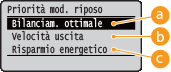
 Bilanciam. ottimale
La macchina esce rapidamente dalla modalità riposo. Quando i dispositivi collegati direttamente alla macchina supportano EEE (Energy Efficient Ethernet), è possibile ridurre significativamente il consumo di energia. Di norma, usare questa impostazione.
 Velocità uscita
La macchina esce dalla modalità riposo più rapidamente.
 Risparmio energetico
La velocità di comunicazione durante la modalità riposo viene ridotta per abbassare il consumo di energia.
|
|
|
Questa voce è disponibile quando l'opzione <Modalità riposo> è impostata su <Alto (Riposo prol.)>. Attivazione della modalità di riposo
|
IEEE802.1X
Abilitare o disabilitare l'autenticazione IEEE 802.1X. Utilizzare la IU remota per specificare le impostazioni dettagliate applicate quando è abilitata l'autenticazione IEEE 802.1X. Configurazione autenticazione IEEE 802.1X
|
Disattivato
Attivato
|
() <Rete> Leggere il messaggio <IEEE802.1X> Leggere il messaggio <Disattivato> o <Attivato> Eseguire un hard reset (Esecuzione di un hard reset )Filtro indirizzi
Abilitare o disabilitare la restrizione delle comunicazioni con l'indirizzo IP e l'indirizzo MAC. Usare la IU remota per specificare l'indirizzo da limitare. Operazioni di stampa di base
|
Disattivato
Attivato
|
() <Rete> Leggere il messaggio <Filtro indirizzi> <Disattivato> o <Attivato> Eseguire un hard reset (Esecuzione di un hard reset )Indirizzo MAC
Controllare l'indirizzo MAC della macchina, ossia un numero univoco per ciascun dispositivo di comunicazione.
|
(Solo display)
|
() <Rete> Leggere il messaggio <Indirizzo MAC> Imp. stampa e-mail
Specificare le impostazioni per l'uso della funzione Stampa e-mail. Usare l'IU remota per specificare le altre impostazioni di Stampa e-mail, incluse quelle del server di posta. Stampa di e-mail ricevute (Stampa e-mail)
Inter. ricez. POP3
Specificare l'intervallo per la connessione automatica al server di posta, in minuti. Le nuove e-mail presenti nella casella di posta del server di posta vengono automaticamente ricevute e stampate agli intervalli di tempo specificati.
|
Da 0
a 90 (min.) |
() <Rete> Leggere il messaggio <Imp. stampa e-mail> <Inter. ricez. POP3> Usare i tasti numerici per indicare l'intervallo di ricezione automatica delle e-mail Eseguire un hard reset (Esecuzione di un hard reset )|
|
|
Selezionando "0," le e-mail non vengono ricevute automaticamente. In tal caso, ricevere le e-mail manualmente. Ricezione manuale delle e-mail
|
Ricezione POP3
Abilitare o disabilitare Stampa e-mail per il server di posta POP3.
|
Disattivato
Attivato
|
() <Rete> Leggere il messaggio <Imp. stampa e-mail> <Ricezione POP3> <Disattivato> o <Attivato> Eseguire un hard reset (Esecuzione di un hard reset )Ricezione SMTP
Abilitare o disabilitare Stampa e-mail per il protocollo SMTP.
|
Disattivato
Attivato
|
() <Rete> Leggere il messaggio <Imp. stampa e-mail> <Ricezione SMTP> <Disattivato> o <Attivato> Eseguire un hard reset (Esecuzione di un hard reset )Iniz. imp. di rete
Selezionare per ripristinare le Impostazioni di rete ai valori predefiniti. Inizializzazione delle impostazioni di rete