Preferences
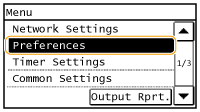 |
|
All the settings about the sound volume and display are listed with short descriptions. Default settings are marked with a dagger (
 ). ). |
 |
If a screen for entering a PIN is displayedEnter the PIN with the numeric keys and tap <Apply>. Setting the System Manager PIN
Asterisks (*)Settings marked with "*1" have different defaults depending on the country or region of purchase.
Settings marked with "*2" are only available for the MF249dw / MF246dn / MF237w.
|
Volume Settings
Adjust volume at which the machine beeps when a key is pressed on the operation panel or when a paper jam occurs. Adjusting the Volume
Fax Tone
Select whether to make a dial tone while a fax is being sent. You can also adjust the volume.
|
0 to 1
to 5 |
Ring Tone
Select whether the machine beeps when a fax is received. You can also adjust the volume.
|
0 to 1
to 5 |
TX Done Tone
Select whether the machine beeps when a fax is sent. You can also adjust the volume.
|
0 to 1
to 5Only When Error Occurs
Off
On
|
RX Done Tone
Select whether the machine beeps when a fax is received. You can also adjust the volume.
|
0 to 1
to 5Only When Error Occurs
Off
On
|
Scanning Done Tone
Select whether the machine beeps when scanning fax documents is complete. You can also adjust the volume.
|
0 to 1
to 5Only When Error Occurs
Off
On
|
Entry Tone
Select whether the machine beeps when a key is pressed on the operation panel.
|
Off
On
|
Invalid Entry Tone
Select whether the machine beeps when an invalid settings value is entered, such as when a user is trying to enter a number unavailable for a setting.
|
Off
On |
Warning Tone
Select whether the machine beeps when problem such as a paper jam or an operation mistake occurs.
|
Off
On
|
Job Done Tone
Select whether the machine beeps when copying or scanning is complete.
|
Off
On
|
Energy Saver Alert
Select whether the machine beeps when the machine enters or wakes from sleep mode.
|
Off
On
|
Original in Feeder Detection Tone
Select whether the machine beeps when an original is loaded in the feeder.
|
Off
On
|
Display Settings
Default Screen after Startup/Restoration 
By default, the Home screen is displayed immediately after the machine is turned ON or when the Auto Reset function is performed. Specify the setting to change the default screen and display the main screen of a different function.
|
Home
Copy
Fax
Scan
|
<Menu>  <Preferences> <Display Settings> <Default Screen after Startup/Restoration> Select a function to display the desired screen
<Preferences> <Display Settings> <Default Screen after Startup/Restoration> Select a function to display the desired screen Home Screen Button Display Settings
Change the order in which Home Screen buttons are displayed. Customizing the <Home> Screen
Contrast
Adjust the brightness of the display to suit the installation location of the machine.
|
Five Levels
|
<Menu> <Preferences> <Display Settings> <Contrast> Use <->/<+> to adjust the brightness <Apply>
<Preferences> <Display Settings> <Contrast> Use <->/<+> to adjust the brightness <Apply> Invert Screen Colors
Select <On> to invert the display colors. Select <On> if the display is hard to view even after the brightness was adjusted in <Contrast>.
|
Off
On
|
<Menu> <Preferences> <Display Settings> <Invert Screen Colors> Select <On> or <Off>
<Preferences> <Display Settings> <Invert Screen Colors> Select <On> or <Off> Millimeter/Inch Entry Switch
Select the unit of measurement.
|
Millimeter
Inch
|
<Menu> <Preferences> <Display Settings> <Millimeter/Inch Entry Switch> Select <Millimeter> or <Inch>
<Preferences> <Display Settings> <Millimeter/Inch Entry Switch> Select <Millimeter> or <Inch> Notify to Check Paper Settings
Specify whether to display a message prompting you to check paper settings when loading paper into the paper drawer or manual feed slot.
|
Off
On
|
<Menu>  <Preferences> <Display Settings> <Notify to Check Paper Settings> Select <Off> or <On>
<Preferences> <Display Settings> <Notify to Check Paper Settings> Select <Off> or <On> Notify to Clean Original Scanning Area
When set to <On>, a message is displayed for dirt or soiling on the original scanning area.
|
Off
On
|
<Menu> <Preferences> <Display Settings> <Notify to Clean Original Scanning Area> Select <On> or <Off>
<Preferences> <Display Settings> <Notify to Clean Original Scanning Area> Select <On> or <Off> Message Display Time
Specify the interval in seconds at which two different messages are alternately displayed.
|
1 to 2
to 5 (sec.) |
<Menu> <Preferences> <Display Settings> <Message Display Time> Enter a number for the interval <Apply>
<Preferences> <Display Settings> <Message Display Time> Enter a number for the interval <Apply> Scrolling Speed
Adjust the speed for scrolling the screen by selecting from three levels.
|
Slow
Standard Fast |
<Menu> <Preferences> <Display Settings> <Scrolling Speed> Select the speed
<Preferences> <Display Settings> <Scrolling Speed> Select the speed Cursor Movement Type
Configure how the cursor moves after a character is entered on the screen. Select <Auto> to automatically move the cursor to the right of the entered character. Select <Manual> to manually move the cursor to the right of the entered character.
|
Auto
Manual
|
<Menu> <Preferences> <Display Settings> <Cursor Movement Type> Select <Auto> or <Manual>
<Preferences> <Display Settings> <Cursor Movement Type> Select <Auto> or <Manual> Language*1
Select the display language used for the display, reports, and lists.
|
Chinese (Simplified), Chinese (Traditional), English
 , French, German, Italian, Japanese, Korean, Malay, Portuguese, Spanish, Thai, Vietnamese , French, German, Italian, Japanese, Korean, Malay, Portuguese, Spanish, Thai, Vietnamese |
<Menu> <Preferences> <Display Settings> <Language> Select a language <Yes>
<Preferences> <Display Settings> <Language> Select a language <Yes> Remote UI Language*1*2
Select the display language used for the Remote UI screens.
|
Chinese (Simplified), Chinese (Traditional), English
, French, German, Italian, Japanese, Korean, Portuguese, Spanish |
<Menu> <Preferences> <Display Settings> <Remote UI Language> Select a language
<Preferences> <Display Settings> <Remote UI Language> Select a language