Adding/Editing Memos
This section describes how to add/edit memos and check the content of memos.
Adding/Editing Memos
1.
Select the document from the File List View Window.
2.
Click  for
for  (Memo) on the ribbon.
for (Memo) on the ribbon.Or, follow one of the steps described below.
Click  for (Memo) on the ribbon, and select [Add/Display Memo]
for (Memo) on the ribbon, and select [Add/Display Memo]Click  (Add/Display Memo) on the ribbon
(Add/Display Memo) on the ribbonRight-click and select [Add/Display Memo]
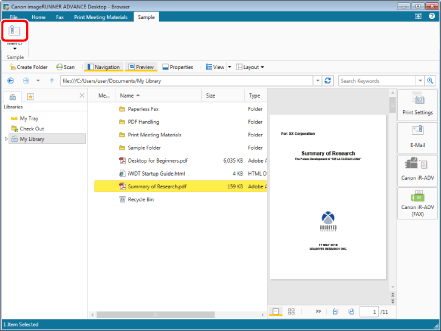
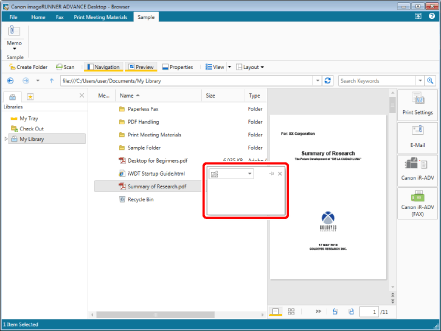
The memo editing dialog box is displayed.
|
NOTE
|
|
If you want to edit the memo, you can display the memo editing dialog box by clicking
 . . If commands are not displayed on the ribbon of Desktop Browser, see the following to display them.
This operation can also be performed with the tool buttons on the toolbar. If tool buttons are not displayed on the toolbar of Desktop Browser, see the following to display them.
|
3.
Enter the memo in the memo editing dialog box.
You can also edit memos.
4.
Select the memo display color you want to use from the list displayed when you click  .
.
.|
NOTE
|
|
If a color was not specified, the memo color becomes grey.
|
5.
To pin the memo, click  .
.
.|
NOTE
|
 : The memo pinning function is turned on.: The memo pinning function is turned off. : The memo pinning function is turned on.: The memo pinning function is turned off. |
For details on the memo pinning function, see the following.
6.
Click outside of the memo editing dialog box in the File List View Window.
Or, follow one of the steps described below.
Select a document other than the one currently selected
Refresh the File List View Window display
In the Navigation Window, select something other than the library or folder currently selected
Press the [Ctrl] and [S] keys on the keyboard
The memo is saved.
|
NOTE
|
|
If you want to stop editing the memo without saving, perform one of the following operations:
Press the [Esc] key on the keyboard.
Click
 on the memo editing dialog box. on the memo editing dialog box. |
Displaying Memos
You can display added memos by following the steps below.
Display the memo editing dialog box
Click
Select a document, and click for (Memo) on the ribbon
for (Memo) on the ribbonSelect a document, click for (Memo) on the ribbon, and select [Add/Display Memo]
for (Memo) on the ribbon, and select [Add/Display Memo]Select a document, and click (Add/Display Memo) on the ribbon
(Add/Display Memo) on the ribbonRight-click a document and select [Add/Display Memo]
Display the content of the memo in a pop-up
Place the mouse pointer over