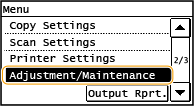
Adjustment/Maintenance
 |
|
All the settings about adjustment and maintenance are listed with short descriptions. Default settings are marked with a dagger (
 ). ). |
|
NOTE
|
Asterisks (*)Settings marked with "*1" may not be displayed depending on the model you are using, options, or other setting items.
|
Printer Density 
Adjust the density to the most appropriate levels for copying and printing reports and lists.
|
Nine Levels
|
<Menu>  <Adjustment/Maintenance> <Printer Density> Adjust the density
  <Apply>
<Adjustment/Maintenance> <Printer Density> Adjust the density <Apply> Toner Save
Select whether to reduce toner consumption when copying.
|
Copy
Off
Save Mode (Low Saving)
Save Mode (High Saving)
|
<Menu> <Adjustment/Maintenance> <Toner Save> <Copy> Select <Off>, <Save Mode (Low Saving)>, or <Save Mode (High Saving)>
<Adjustment/Maintenance> <Toner Save> <Copy> Select <Off>, <Save Mode (Low Saving)>, or <Save Mode (High Saving)> Auto Correct for Dirt on Scanning Area *1
When dirt on the scanning area causes output paper to have streaks, you can automatically correct this.
|
Off
On
|
<Menu> <Adjustment/Maintenance> <Auto Correct for Dirt on Scanning Area> <On>
<Adjustment/Maintenance> <Auto Correct for Dirt on Scanning Area> <On> Speed/Image Quality Priority for Rotate + Collate
When <Rotate + Collate> is set, you can specify either <Speed Priority> or <Image Quality Priority>.
|
Speed Priority
Image Quality Priority
|
<Menu> <Adjustment/Maintenance> <Speed/Image Quality Priority for Rotate + Collate> Select <Speed Priority> or <Image Quality Priority>
<Adjustment/Maintenance> <Speed/Image Quality Priority for Rotate + Collate> Select <Speed Priority> or <Image Quality Priority> Special Processing
If the print results are not satisfactory due to the paper type or usage environment, you may use the settings below to improve the quality of the printouts.
Special Printing Mode O
Paper jams may frequently occur when using the multi-purpose tray to copy/print on the reverse side of paper that has already been copied/printed on. <Off> should normally be specified for this setting. Only change this setting if the above symptom occurs.
|
Off
Mode 1 Mode 2 |
|
IMPORTANT
|
|
Do not use paper that has been exposed to high temperature or humidity for an extended period of time. Printing on such paper may result in frequent paper jams.
|
<Menu> <Adjustment/Maintenance> <Special Processing> <Special Printing Mode O> Select the mode
<Adjustment/Maintenance> <Special Processing> <Special Printing Mode O> Select the mode Special Printing Mode M
Change the <Special Printing Mode M> setting if there is a degradation in print quality or irregularity in print density. This mode enables you to select one of five levels for the machine's transfer output. Select a higher mode number if you want to print on paper to which toner does not adhere well, such as index cards. Select a lower mode number when printing on paper that has been stored at high temperature and high humidity for a long time.
|
Mode 1
Mode 2 Mode 3
Mode 4
Mode 5
|
<Menu> <Adjustment/Maintenance> <Special Processing> <Special Printing Mode M> Select the mode
<Adjustment/Maintenance> <Special Processing> <Special Printing Mode M> Select the mode Special Printing Mode N
Change the <Special Printing Mode N> setting if paper curls or jams when printing on paper that has absorbed moisture. If <Mode 3> is set, the effect of this setting is maximized, but it may take the machine longer to print.
|
Off
Mode 1 Mode 2 Mode 3
|
|
IMPORTANT
|
|
Do not use paper that has been exposed to high temperature or humidity for an extended period of time. Printing on such paper may result in frequent paper jams.
|
|
NOTE
|
|
If both <Special Printing Mode P> and <Special Printing Mode N> are enabled when printing on a lightweight paper, <Special Printing Mode P> overrides <Special Printing Mode N>.
|
<Menu> <Adjustment/Maintenance> <Special Processing> <Special Printing Mode N> Select the mode
<Adjustment/Maintenance> <Special Processing> <Special Printing Mode N> Select the mode Special Printing Mode S
If you switch to a larger size of paper than previously used, it may take a long time for the machine to resume printing. In this case, set the <Special Printing Mode S> setting to <Mode 1> or <Mode 2> to reduce the waiting time for the next print. If <Mode 1> is set, waiting time is minimized.
|
Off
Mode 1 Mode 2 |
|
NOTE
|
|
If this mode is enabled, the previously printed image may re-appear faintly on the next output.
|
<Menu> <Adjustment/Maintenance> <Special Processing> <Special Printing Mode S> Select the mode
<Adjustment/Maintenance> <Special Processing> <Special Printing Mode S> Select the mode Special Printing Mode P
Set the <Special Printing Mode P> setting to <On> if paper curls when printing on a lightweight paper.
|
Off
On
|
|
NOTE
|
|
If both <Special Printing Mode P> and <Special Printing Mode N> are enabled, <Special Printing Mode P> overrides <Special Printing Mode N>.
|
<Menu> <Adjustment/Maintenance> <Special Processing> <Special Printing Mode P> <On>
<Adjustment/Maintenance> <Special Processing> <Special Printing Mode P> <On> Special Printing Mode F
Uneven images may appear on the printed paper. In this case, change this setting. If <Mode 3> is set, the effect of this setting is maximized.
|
Off
Mode 1
Mode 2 Mode 3
|
<Menu> <Adjustment/Maintenance> <Special Processing> <Special Printing Mode F> Select the mode
<Adjustment/Maintenance> <Special Processing> <Special Printing Mode F> Select the mode Clean Transfer Roller
Clean the transfer roller if print quality deteriorates or dots appear on printouts. Transfer Roller
Clean Drum Unit
Clean the drum unit if print quality deteriorates. Drum
Clean Fixing Assembly
Clean the fixing assembly after a toner cartridge is replaced or if black streaks appear on printouts. Fixing Assembly
Clean Feeder *1
Clean the feeder rollers if documents become dirty after being fed through the feeder. Feeder (imageRUNNER 2206N / 2006N)