Adjusting the Print Quality
If the printed color is not reproduced properly, or the print results are otherwise not as expected, adjust the print quality according to the symptoms that occur.
Gradation is not reproduced. Calibrating the Gradation

Density is different from the original.Correcting Uneven Density

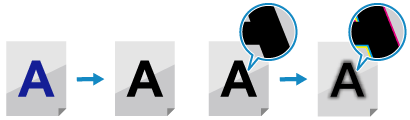
Printed image is blurry. Correcting Color Mismatch

Black or near-black colors are not reproduced. Adjusting the Reproducibility of Near Black Color Text
Afterimages of highly dense characters or lines are generated in color printing.Reducing Toner Used When Color Printing

Uneven filling occurs. Correct Unevenness of Filled Part

Printed image is faint or blurred. Improving Blurred Images
You want to adjust the glossiness of the custom paper. Adjusting Glossiness