When Using a Product with a Finisher (For 710Z / 610Z / 520Z)
The finisher enables you to use the following functions.
NOTE
Some finishing functions may not be available depending on the paper size and paper type. Paper Not Usable for Finishing (For 710Z / 610Z / 520Z)
Sorting Functions
Types of Sorting Functions
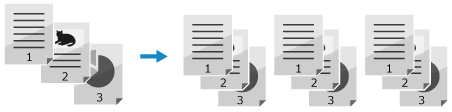
Collate
Outputs paper after sorting the copies into sets with the same page order as the original, when you print multiple copies of a multi-page original.
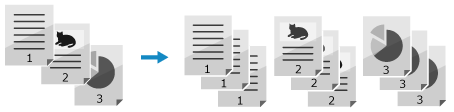
Group
Outputs the specified number of copies after grouping each page of the original together, when you print multiple copies of a multi-page original.
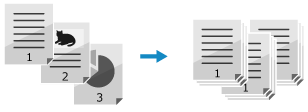
Offset
Offsets the output position per copy or per page.
Stapling Functions
Types of Stapling Functions
Corner
Outputs paper after stapling the corner of the paper for each copy or for a certain number of pages.

Precautions When Using Finishing Functions
Precautions When Using Staple
The number of sheets that can be stapled varies depending on the paper type and thickness. Finisher Specification (For 710Z / 610Z / 520Z)
If the machine cannot staple the paper, change the paper or reduce the number of sheets to be stapled.
Remove stapled paper after it has been completely output to the tray and do not remove it while it is being stapled.
When [Load staples into the stapler unit.] appears, replace the staple case and add more staples. Adding Staples to the Finisher (For 710Z / 610Z / 520Z)
If the tray reaches its lower limit position, printing is paused. When the ejected paper is removed from the tray, printing resumes.

When the finisher is installed, do not place your hands into areas of the tray where stapling is performed or into the rollers. This can result in injury.
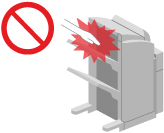
Do not touch the operating parts of the finisher with your hands or fingers. This can result in injury or damage to the finisher.
Do not place your hands in the output area of the finisher when removing paper from the tray of the finisher. The tray may rise, trapping your hand.
IMPORTANT
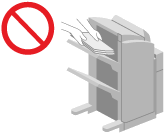
Do not place anything under the tray of the finisher, as the position of the tray moves during copying and printing. This can damage the tray or cause a malfunction.
Do not place anything other than output paper on the tray of the finisher. This can damage the tray.