Orientation of an Original to Be Stapled and Setting the Staple Position (C611FZ / C611Z / C521FZ / C521Z / C431FZ / C431Z / C331FZ / C331Z)
When using the staple function, make sure the original is loaded in the correct direction and the staple position is set correctly.
Place the original as shown below according to the actual position where to staple (corner). When setting the staple position, set the position as viewed from the side of the original to be scanned.
NOTE
For the general procedure when placing an original, see the following:
For details about how to configure the settings when using the staple function, see the following:
Actual Staple Position | Orientation When Placing an Original | Staple Position Setting | |
Platen Glass | Feeder | ||
Top right of vertical paper 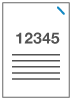 | 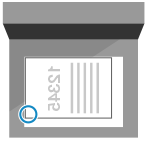 | 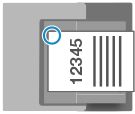 | [Top Right] |
Top left of vertical paper 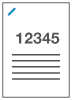 | 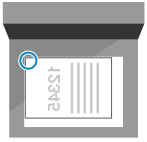 | 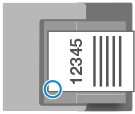 | [Top Left] |
Top right of horizontal paper 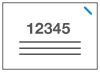 |  | 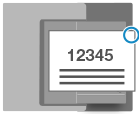 | [Top Right] |
Top left of horizontal paper 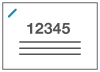 |  | 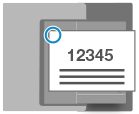 | [Top Left] |