Scanning
You can scan documents, photos, and other printed material ("originals") and convert them into data. This converted data ("scanned data") can then be sent and saved as an image or PDF file using the following methods.
Sending by E-mail or to a Shared Folder or File Server
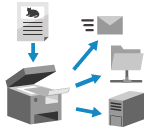
Send the scanned data to the following destinations:
E-mail
Shared folder on a computer
File server (FTP server, Windows server, etc.)
You can specify multiple types of destinations at the same time.
* You can also send data to the Advanced Box of another machine.
* You can also send scanned data to a fax destination depending on the machine settings. [Display Fax Function]
Saving to Advanced Box and Windows Server
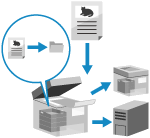
Save scanned data to following locations:
Advanced Box on another machine
Windows server
* For details on the Advanced Box of another machine, see the manuals of the other machine.
Saving to a USB Memory Device
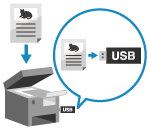
You can save scanned data to a USB memory device connected to the machine.
This is convenient when using scanned data on a computer without a network connection or when on the go.
This is convenient when using scanned data on a computer without a network connection or when on the go.
Saving to a Computer (Scanning from a Computer)
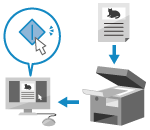
Save scanned data to a computer connected to the machine.
Windows
macOS
Chrome OS
See Also
Sending Scanned Data by Internet Fax (I-Fax)
You can send scanned data using the Internet Fax (I-Fax) system.
Scanned data is sent by e-mail as an attached TIFF file. This lets you send a fax without using a phone line to lower communication costs. The destination must support I-Fax technology.
Scanned data is sent by e-mail as an attached TIFF file. This lets you send a fax without using a phone line to lower communication costs. The destination must support I-Fax technology.