配置内置任务
本节介绍设置检索打印机信息的间隔的步骤。
1.
选择 [Tasks] 菜单 > [Built-In Tasks]。
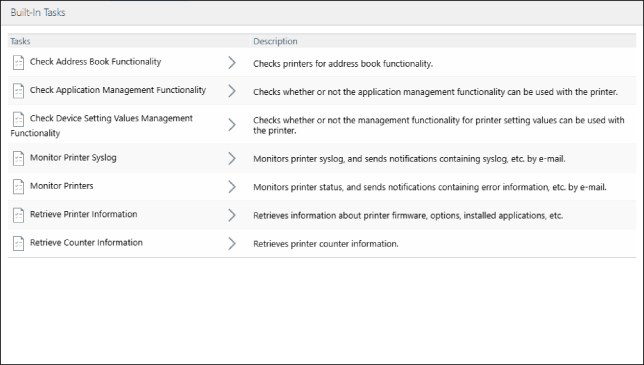
[Monitor Printer Syslog]
从列表中选择 [Monitor Printer Syslog]。
单击 [Create]。
配置 [Edit Settings],然后单击 [Create]。
注释 |
有关详细信息,请参见下文。 |
[Monitor Printers]
从列表中选择 [Monitor Printers]。
在 [Monitoring Settings] 选项卡上,设置检索打印机状态的间隔,然后单击 [Apply]。
注释 |
有关详细信息,请参见下文。 |
[Retrieve Printer Information]
在列表中选择 [Retrieve Printer Information]。
如需将打印机中注册的设备名称与安装位置注册至本软件,请选中 [Rewrite the device name and location with information obtained from the printer] 复选框。
如果不选中此复选框,则以本软件中注册的设备名称和安装位置作为打印机的对应信息;如果未在本软件中注册设备名称和安装位置,打印机相关设置将显示为空。
配置检索打印机信息的 [Task Execution],然后单击 [Apply]。
单击 [Execute Now] 立即执行。
[Retrieve Counter Information]
从列表中选择 [Retrieve Counter Information]。
设置检索计数器信息的间隔,然后单击 [Apply]。