Saddle Stitched Booklet Printing
When creating and printing a booklet, you can output pages that are stapled in the center.
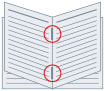
1.
Display the [Basic Settings] or [Finishing] sheet.
2.
Select [Booklet Printing] from [1-sided/2-sided/Booklet Printing] or [Print Style].
3.
Select a finishing method from [Saddle Stitch Setting].