Utility Menu
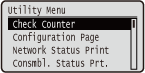 | You can display the total number of printed pages and print internal system information. When you press  ( ( ) on the operation panel, the Utility menu is displayed. You can specify the settings described below when the machine is offline. ) on the operation panel, the Utility menu is displayed. You can specify the settings described below when the machine is offline. |
Check Counter
You can check the total number of printed pages. Checking Total Number of Printed Pages
|
You can also check the counter value by selecting <Check Counter> in the Setup Menu as well as this item. |
101: Total 1
You can check the total number of pages printed.
(Display only) |
108: Total (B&W 1)
You can check the number of pages printed in black and white.
(Display only) |
112: Total (Black/L)
You can check the number of pages printed in black and white on paper of size larger than B4.
(Display only) |
113: Total (B&W/Sml)
You can check the number of pages printed in black and white on paper of size B4 or smaller.
(Display only) |
114:Total 1(2-Sided)
You can check the number of pages printed in 2-sided printing mode.
(Display only) |
122:Total(Full+1C/L)
You can check the number of pages printed in color on paper of size larger than B4 (other than e-mail printing).
(Display only) |
123:Total(Full+1C/S)
You can check the number of pages printed in color on paper of size B4 or smaller (other than e-mail printing).
(Display only) |
Configuration Page
You can check the machine settings (Setup Menu) configured in the machine. You can also check other information such as the toner cartridge status, the number of printed pages, and the capacity of the memory (RAM) mounted on the machine. Configuration Page
Network Status Print
Select to print a list of the settings (Network) about the network configured in the machine. You can also check the information about the security including the address filter settings and IPSec settings. Network Status Print
Consmbl. Status Prt.
You can print information such as toner cartridge status, warning messages, and information on where you can purchase new toner cartridges. Consmbl. Status Prt.
IPSec Policy List
Select to print a list of the IPSec policy names and settings (Configuring IPSec Settings) configured in the machine. IPSec Policy List
Calibration
When color mismatch occurs or when the colors have changed and the data is not printed in the correct colors (specified colors), you can perform calibration. Correcting Color Mismatch and Hues
POP Prnt Calibration
Use this function to correct color mismatch and hue difference if they occur in POP printing.
Full Calibration
Use this function to correct color mismatch and hue difference.
PCL Utility
Select to print a list of the internal information items registered in the machine for use of the PCL mode.
Font List
Select to print a list of the fonts that can be used in the PCL mode. PCL Font List
PS Utility
Select to print a list of the settings for use of the PS mode and the internal information items registered in the machine. PS Mode List
Configuration Page
Select to print a list of the machine settings (PS).
Font List
Select to print a list of the fonts that can be used in the PS mode.
Cleaning
Select to clean the fixing unit when black spots or streaks appear on printouts. Fixing Unit
Prevent Tnr Spilling
You can prevent toner spilling during transportation of the machine over a long distance. Relocating the Machine
ITB Cleaning
If print quality is not good, you can perform ITB unit cleaning.
()  <ITB Cleaning>
  <Yes>
<Yes> Adj Aftr Cart. Chng
Adjust toner density when POP printing is not possible with the expected density.
() <Adj Aftr Cart. Chng> <Yes> E-Mail Print Utility
Select to manually receive e-mails and print a log of received e-mails in list form.
Received E-Mail
Select to manually receive e-mails from the POP3 mail server and print them. Manually Receiving E-Mails
E-Mail RX Log List
Select to print a log consisting of subjects and received date/time of e-mails received in the machine in list form. E-Mail Print Log
Printing Pos. Print
Select to print marks that indicate the current print position. Adjusting Print Position
Page Count List
Select to print a report on the number of printed pages for each department when Department ID Management is enabled. Page Count List
Counter Report
Outputs a report showing the total number of pages printed to date. Counter Report
Print MEAP Sys. Info
Select to print a list of information about MEAP applications installed in the machine and the MEAP system applications when the MEAP function is enabled. Print MEAP Sys. Info
Cartridge Log Print
Prints logs of usage of toner cartridge/drum cartridge in the form of a list. Cartridge Log Print
Serial Number
Select to display the serial number of the machine.
()  <Serial Number>
 Consumables Info.
Select to display the information about such as the paper and toner cartridge.
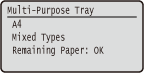
Paper Information
Select to display the currently specified paper size and paper type, and the remaining paper level for each paper source. Checking Paper
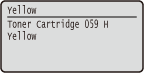
Toner Cart. Model
Select to display the model number of the toner cartridge for the machine. Checking the Toner Cartridge Model
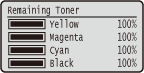
Remaining Toner
Displays the toner cartridge status. Checking the Toner Cartridge Status
|
The displayed toner cartridge status can be used only as a guide and may differ from the actual status. |
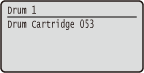
Drum Cart. Model
Select to display the model number of the drum cartridge for the machine. Checking the Drum Cartridge Model
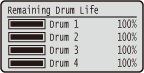
Remaining Drum Life
Displays the drum cartridge status. Checking the Drum Cartridge Status
|
The displayed drum cartridge status can be used only as a guide and may differ from the actual status. |
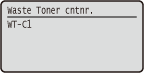
Waste Toner cntnr.
You can display the model number of the waste toner container. Checking the Model Numbers of Waste Toner Container
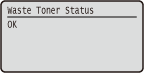
Waste Toner Status
You can display the status of waste toner container. Checking the Status of Waste Toner Container