
Control Menu
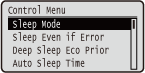 | The settings about the sleep mode and how the machine should behave if an error occurs are listed with short descriptions. Default settings are marked with a dagger (  ). ). |
|
Asterisks (*)Settings marked with an asterisk (*) may not be displayed depending on the model you are using, options, or other setting items. |
Sleep Mode
The sleep mode function reduces the amount of power consumed by the machine by temporarily stopping some internal operations. Specify the sleep mode level. Entering Sleep Mode
High (Deep Sleep) Mid (Printer Sleep) |
 |
Sleep mode levelsThe energy consumption reduction effect is smaller with <Mid (Printer Sleep)> and greater with <High (Deep Sleep)>. When you are using utility software related to networkIf you set sleep mode to <High (Deep Sleep)>, the utility software may fail in communication. |
Sleep Even if Error
Select whether to automatically enter sleep mode when an error occurs.
Off On |
 (
( )
)  <Control Menu>
  <Sleep Even if Error> <Off> or <On>
 Deep Sleep Eco Prior
Select whether to further reduce power consumption when the machine and the computer are connected via USB.
Off On |
() <Control Menu> <Deep Sleep Eco Prior> <Off> or <On> |
It may be possible that when you do an operation to perform printing with this item set to <On>, the machine does not exit the sleep mode. In that case, press  to exit the sleep mode. to exit the sleep mode. |
Auto Sleep Time
If the machine has not been operated or has had no data to print for a specified period of time, it enters sleep mode to save energy consumption (Auto Sleep). Specify the period of time after which auto sleep is performed. We recommend using the factory default settings to save the most power. Entering Sleep Mode
5 min. 10 min. 15 min. 30 min. 60 min. 120 min. |
Sleep When Using USB *
Select whether to allow the machine to enter sleep mode when you are using USB over NW to access a USB device from a computer via a network. Adv. Func. Settings
Do Not Allow Allow |
() <Control Menu> <Sleep When Using USB> <Do Not Allow> or <Allow> Timer Settings
You can specify the settings for the machine operations and time regarding Sleep Mode and for the Auto Reset function that displays the main screen if any key is not pressed for a specified period of time.
Wake Up Timer
Select whether to automatically exit sleep mode at a specified time. Entering Sleep Mode
Off On |
Wake Up Time
Set the time to exit sleep mode if <Wake Up Timer> is set to <On>. Entering Sleep Mode
00:00 to 12:00 to 23:59 |
Auto Reset Time
If any key is not pressed for a specified period of time, the current menu screen automatically returns to the main screen and the machine returns to the online mode (Auto Reset). Specify the interval at which the Auto Reset is performed. Select <Off> to disable the Auto Reset function.
Off 10 sec. 20 sec. 30 sec. 40 sec. 50 sec. 1 min. 2 min. 3 min. 4 min. 5 min. 6 min. 7 min. 8 min. 9 min. |
() <Control Menu> <Timer Settings> <Auto Reset Time> Select the time Sleep Timer
Select whether to automatically enter sleep mode at a specified time. Entering Sleep Mode
Off On |
Sleep Time
Set the time to enter sleep mode if <Sleep Timer> is set to <On>. Entering Sleep Mode
00:00 to 12:00 to 23:59 |
Auto Skip Error
If an error occurs during printing, the printing is stopped. When you want to continue printing even if an error occurs, specify <On>. For the errors during which the current print job is allowed to continue by this setting, see "Troubleshooting (FAQ)" on the online manual website.
Off On |
() <Control Menu> <Auto Skip Error> <Off> or <On> Language
You can change the language displayed on the operation panel screen, login screen of the remote UI, and the setting lists.
Čeština Dansk Deutsch English Español Français Italiano Magyar Nederlands Norsk Polski Português Русский Suomi Svenska Türkçe 中文(简体) 한국어 |
() <Control Menu> <Language> Select the language Alarm
Select whether the machine beeps when a problem such as a paper jam or an operation mistake occurs.
Off On |
() <Control Menu> <Alarm> <Off> or <On> Show Warnings
Select whether to inform about warnings by messages when the machine has entered the warning state.
Chk/Chg. Toner Cart.
Select whether to display an applicable message when the replacement time for the toner cartridge is near.
Off On |
() <Control Menu> <Show Warnings> <Chk/Chg. Toner Cart.> <Off> or <On> Drawer Empty
Select whether to display an applicable message when the paper drawer runs out of paper.
Off On |
() <Control Menu> <Show Warnings> <Drawer Empty> <Off> or <On> E-Mail Trans. Error
Select whether to display an applicable message when a communication error occurs during E-Mail Print.
Off On |
() <Control Menu> <Show Warnings> <E-Mail Trans. Error> <Off> or <On> Action When Warning
Specify how the machine should behave when a toner cartridge lifetime message appears.
Chk/Chg. Toner Cart.
Select whether to automatically stop printing when the toner cartridge will soon reach the end of its lifetime.
Continue Printing Stop Printing |
() <Control Menu> <Action When Warning> <Chk/Chg. Toner Cart.> <Continue Printing> or <Stop Printing> 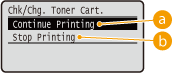
 <Continue Printing>
When the time for toner cartridge replacement is near, the <16 Tnr cart. will soon reach end of lifetime.> message is displayed, but the printing is continued.
 <Stop Printing>
When the time for toner cartridge replacement is near, the <Toner cartridge will soon reach end of lifetime. > message is displayed, and the printing is temporarily stopped. To resume the printing, press  (
( ).
).
().Date/Time Settings
Set the current date and time.
Date
Set the current date in the order of Year, Month, and Day. Use  /
/ to move the cursor, and use the numeric keys to specify the date.
/ to move the cursor, and use the numeric keys to specify the date.01/01 2001 to 31/12 2030 |
() <Control Menu> <Date/Time Settings> <Date> Set the date Time (24 hour)
Specify the current time on a 24-hour basis. Use / to move the cursor, and use the numeric keys to specify the time.
/ to move the cursor, and use the numeric keys to specify the time.00:00:00 to 23:59:59 |
() <Control Menu> <Date/Time Settings> <Time (24 hour)> Set the time Daylight Savings
Specify settings for daylight saving time.
DST Settings
Specifies whether to set the daylight saving time.
Off On |
() <Control Menu> <Date/Time Settings> <Daylight Savings> Check the message <DST Settings> <Off> or <On> Perform a hard Reset (Performing a Hard Reset)Start Date/Time
Specifies the start date and time of daylight saving time.
Month Week Day Time (24 hour) |
() <Control Menu> <Date/Time Settings> <Daylight Savings> Check the message <Start Date/Time> Set the date and time Perform a hard Reset (Performing a Hard Reset)End Date/Time
Specifies the end date and time of daylight saving time.
Month Week Day Time (24 hour) |
() <Control Menu> <Date/Time Settings> <Daylight Savings> Check the message <End Date/Time> Set the date and time Perform a hard reset (Performing a Hard Reset)Time Zone
Specifies the time zone according to the region where the machine is being used.
GMT-12:00 to GMT 00:00 to GMT+12:00 |
() <Control Menu> <Date/Time Settings> <Time Zone> Check the message Set the time zone Perform a hard reset (Performing a Hard Reset)Main Pwr Quick Start
If you specify the quick startup settings, you can reduce the time from when the power switch is pressed until the screens become operable. Performing a Quick Start of the Machine
Off On |
SD Card *
Enable or disable the SD card.
Off On |
() <Control Menu> <SD Card> Check the message <Off> or <On> Perform a hard reset (Performing a Hard Reset)Interrupt Print *
Select whether to allow use of the Interrupt Print function.
Off On |
() <Control Menu> <Interrupt Print> <Off> or <On> Sec. Print Del. Time *
Set the time until secured documents stored in the machine are automatically deleted. Changing the Valid Time Period for Secured Documents
1 hr. 2 hr. 3 hr. 6 hr. 12 hr. 24 hr. |
Secure Job Log *
Depending on the timing of shutdown, a print log may not be generated and the total number of printed pages may not be counted. If you set this function to <On>, print log generation and total printed page counting are surely performed. However, the print speed will be slower.
Off On |
() <Control Menu> <Secure Job Log> Check the message <Off> or <On> Perform a hard reset (Performing a Hard Reset)USB-Connected PC OS
Select the OS of the PC connecting to the machine via USB.
Mac OS Windows Other |
 |
Be sure to match the machine settings to the OS of the PC. If not matched, the PC will not correctly recognize the machine. If the OS of your computer is OS X 10.10 or earlier and if you want to print from a printer driver via USB, set this item to <Other>. |
() <Control Menu> <USB-Connected PC OS> Check the message  Select the OS of the computer to connect to the machine Perform a hard reset (Performing a Hard Reset)
PDL Selection (PnP)
Specify a printer driver to be installed when the machine is connected to a computer via USB or it is searched over the WSD network.
UFR II UFR II (V4) PCL6 PCL6 (V4) PS3 XPS (Direct) |
() <Control Menu> <PDL Selection (PnP)> Check the message Select the page description language Perform a hard reset (Performing a Hard Reset)Mng. Settings
Select whether to restrict the use of the () key on the operation panel to prevent any settings from being changed carelessly.
() key on the operation panel to prevent any settings from being changed carelessly.Settings Key Lock
If you select <On>, the Setup menu is not operable even if () is pressed.
() is pressed.Off On |
() <Control Menu> <Mng. Settings> <Settings Key Lock> Check the message <Off> or <On> |
If you select <On>, the Settings key can be unlocked from the Remote UI only. Restricting Operation Panel Functions |
Sys Manager Settings
Set a password (System Manager password) of up to 16 alphanumeric characters for logging on to the Remote UI with administrator privileges. Setting the System Manager Password
Sys Manager Password |
RMT-SW
Use this machine leaving this item set to <Off>. You may be asked to change the setting to <On> to allow for remote maintenance on your machine by a Canon service representative.
Off On |
() <Control Menu> <RMT-SW> <Off> or <On> Adjust Screen
You can adjust the contrast and brightness of the display.
Contrast
Adjust the contrast (difference in brightness between light and dark areas) of the display to suit the installation location of the machine.
-3 to 0 to +3 |
() <Control Menu> <Adjust Screen> <Contrast> Use  /
/ to adjust the contrast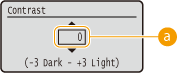
Adjusting the contrast
Set a "+" value to brighten the screen. Set a "-" value to darken the screen.
Backlight Brightness
Adjust the backlight brightness of the display by selecting from three levels. Select <Off> to disable the backlight.
Off Level 1 Level 2 Level 3 |
() <Control Menu> <Adjust Screen> <Backlight Brightness> Select the brightness level Animated Instruction
Select whether to show animated instructions on the display when a paper jam occurs or when you replace toner cartridges.
Off On |
() <Control Menu> <Animated Instruction> <Off> or <On> Show Toner Gauge
Select whether to display the toner cartridge status indicator icon in the lower right of the display.
Off On |
() <Control Menu> <Show Toner Gauge> <Off> or <On> Set. Comp. Notify
Specify how long a message that appears when a setting is changed is displayed in seconds. If you select <Off>, the message will no longer be displayed. |  |
Off 1 sec. 2 sec. 3 sec. |
() <Control Menu> <Set. Comp. Notify> Select the number of seconds Check Paper Settings
Select whether to display a message prompting you to check the paper settings when you set a paper drawer.
Off On |
() <Control Menu> <Check Paper Settings> <Off> or <On> Scrolling Speed
Adjust the speed for scrolling characters from the right to the left on the display by selecting from three levels.
Slow Normal Fast |
() <Control Menu> <Scrolling Speed> Select the speed