Orientation of the Original When Copying to Paper with a Logo
When copying to paper with a logo, make sure the original is loaded in the correct orientation.
* When copying to paper with a logo, pay attention to the orientation in which the paper is loaded and which side is face up. Orientation for Loading Paper with a Logo
* Check that [Orig. Content Orientation] is set correctly in the copy setting. Ratio and Orientation Settings
* Check that [Orig. Content Orientation] is set correctly in the copy setting. Ratio and Orientation Settings
When Placing Originals on the Platen Glass
Place the original on the platen glass as shown below according to the paper size.
Vertical original
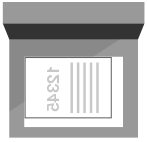
Horizontal original

When Copying an A5 Size Original
When copying an A5 size original, place the original while paying attention to the orientation.
Original in Portrait Orientation
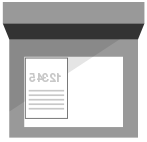
Original in Landscape Orientation
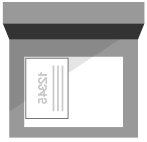
Set the size of copy paper to [A5].
When Placing Originals in the Feeder
Place the original in the feeder as shown below while paying attention to the orientation.
Vertical original
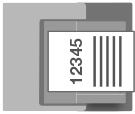
Horizontal original
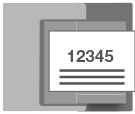
When Copying an A5 Size Original
When copying an A5 size original, place the original while paying attention to the orientation.
Original in Portrait Orientation
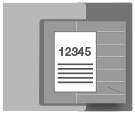
Original in Landscape Orientation
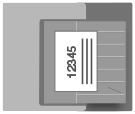
Set the size of copy paper to [A5].