When the Printed Media Is Dirty
Checking the state of the various parts and removing any dirt may alleviate the problem.
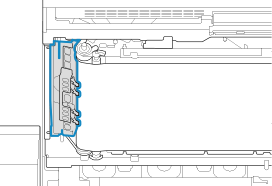
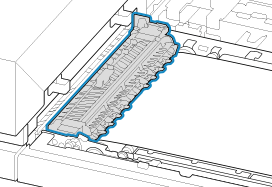
Clean the print belt/registration unit, then check the state of the guide.
Clean the outer surface of the print belt and the registration unit.
Also check the following locations for dirt.
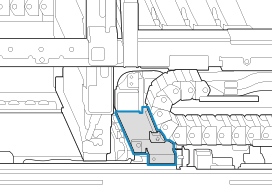
Check the state of the belt/guide of FM1, and perform cleaning as necessary.
If the printed media or the belt/guide of FM1 is still dirty after performing step 1, perform cleaning.
Also check the following locations for dirt.
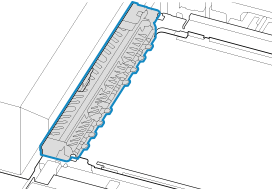
Check the state of the belt/guide of FM2, and perform cleaning as necessary.
If the printed media or the fixing belt of FM2 is still dirty after performing step 2, perform cleaning.
Also check the following locations of the top and bottom side for dirt.